


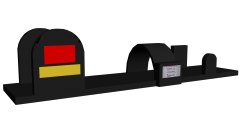
![Whelen SA315 Series Speaker - [WIP]](http://s3-gallery.int-cdn.lcpdfrusercontent.com/gallery/album_3389/sml_gallery_148203_3389_423197.png)
![Odyssey Trunk Organiser - [Final]](http://s3-gallery.int-cdn.lcpdfrusercontent.com/gallery/album_3389/sml_gallery_148203_3389_74696.png)
![Odyssey Rear Storage - [Update]](http://s3-gallery.int-cdn.lcpdfrusercontent.com/gallery/album_3389/sml_gallery_148203_3389_230421.png)





Odyssey Rear Organiser - For CVPI's

By DannyBoy1909
- 861 views
- View DannyBoy1909's images
(Made by request of ScrimpyData for use in a CVPI, not sure about release or Private use yet.)
Inspiration mostly taken off of IronicRainbow's un-released version: https://www.lcpdfr.com/gallery/image/37817-odyssey-trunk-organizer-handcuffs-ect/
Everything is made by me, I still need to:
Fix the map on the Tape... I have no idea what is wrong with is, hopefully Vertex can shed some light on it (Still waiting for him to reply on Skype)
Make the base of the cones thinner.
Possibly add some more equipment.
It currently sits at 2k Poly's, which is not bad in my opinion.
All opinions and help is appreciated, I am new to this and still have a lot to learn! :D
Recommended Comments
Join the conversation
You can post now and register later. If you have an account, sign in now to post with your account.