


![[REL] 2010 Impalas (Slicktop & Marked)](http://s3-gallery.int-cdn.lcpdfrusercontent.com/gallery/album_1499/sml_gallery_43345_1499_271409.jpg)
![[REL] 2010 Impalas (Slicktop & Marked)](http://s3-gallery.int-cdn.lcpdfrusercontent.com/gallery/album_1499/sml_gallery_43345_1499_194131.jpg)
![[REL] 2010 Impalas (Slicktop & Marked)](http://s3-gallery.int-cdn.lcpdfrusercontent.com/gallery/album_1499/sml_gallery_43345_1499_205298.jpg)
![[REL] 2010 Impalas (Slicktop & Marked)](http://s3-gallery.int-cdn.lcpdfrusercontent.com/gallery/album_1499/sml_gallery_43345_1499_166114.jpg)


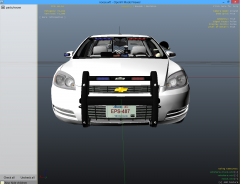

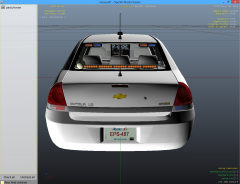

By KN1IGHT
- 820 views
- View KN1IGHT's images
2010 Chevy Impala
Please note that part names will only be listed in gallery images. If it gets released, appropriate credits will be given.
Parts:
Impala Rambar
Whelen PAR-46 Spotlight
Decatur Genesis I Radar
Opensource Console
Hazard SLIC
Rockwell Collins Laptop
WatchGuard Video System
Garmin GPS Unit
Antenna Plus - Common Antenna Unit (GPS)
Two antennas from Antenna Mega Pack
BodyGuard Partition
First Aid Kit/ Med Bag in trunk (Not seen in pictures. Can be seen in this image)

Note: The Hazard SLIC next to the laptop appears to be floating, but it is in fact not floating.
Wires/ Cords taken from Decatur Genesis and attached to Hazard SLIC, and a cylinder created in zModeler attached to the dash is holding it up next to the laptop.
Apologies, but this cannot be seen from this angle. It can be seen in this image

Recommended Comments
Join the conversation
You can post now and register later. If you have an account, sign in now to post with your account.