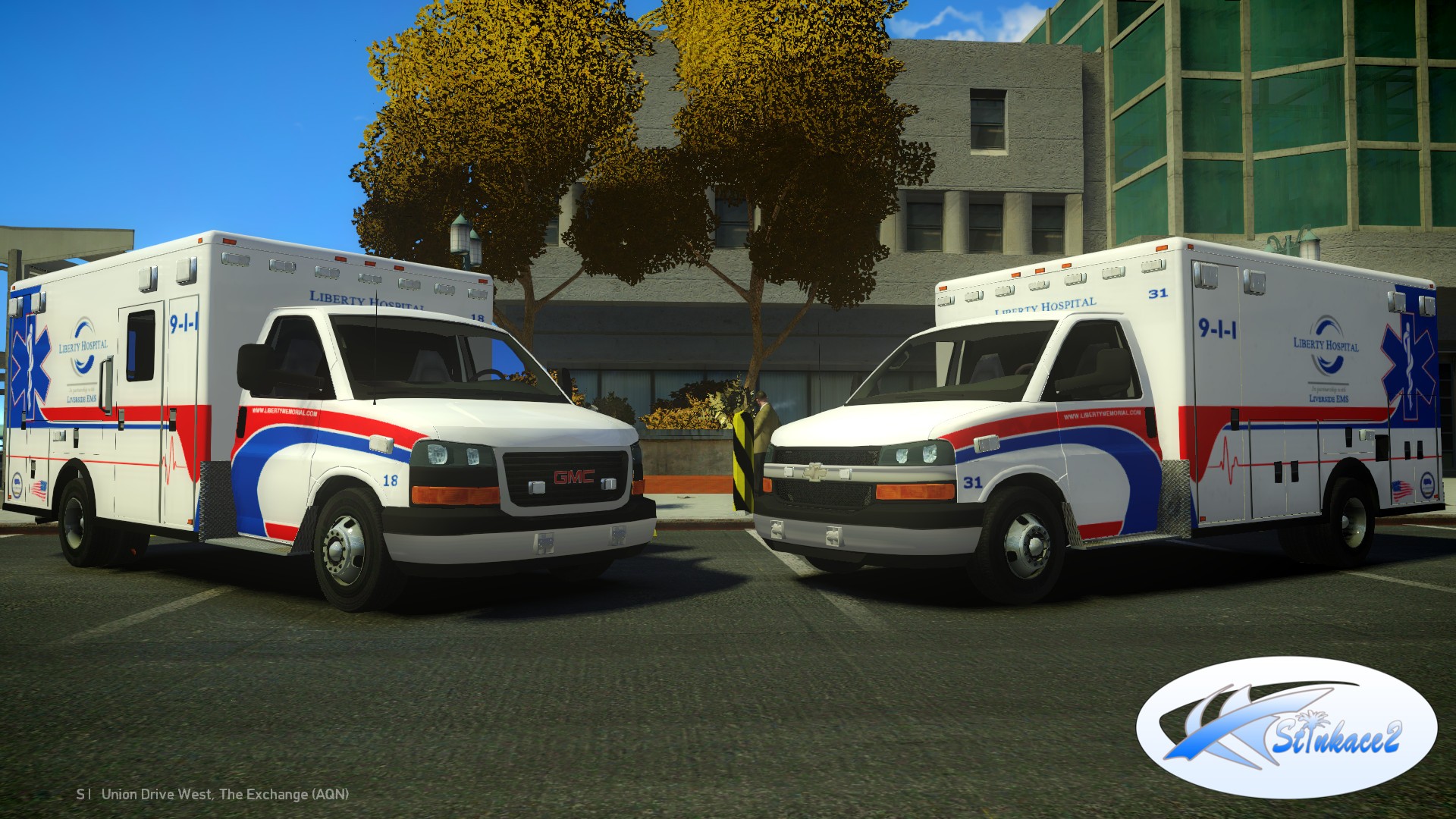
[WIP] Liberty City EMS Pack Share https://www.lcpdfr.com/gallery/image/38093-wip-liberty-city-ems-pack/ Share on Facebook Share on X {lang="reddit_text" More sharing options... Followers Also added a Chevy 3500 version hopefully if all goes well should be released soon still have some minor work to do on them and setup the L1's Let me know what you think only thing I don't like is the wheels, if anyone has Chevy 3500 rims please let me know would love to use them thanks Stinkace2
MauraAlexandra Members October 9, 201411 yr Author stats I can't wait to make these Rural/Metro Rigs..... I've been waiting for someone to release a chevy or gmc rig like this forever
twalsh809 Members November 3, 201510 yr Author stats What's the story with these??? Are they released? If not, any idea when?


![[WIP] Liberty City EMS Pack](http://s3-gallery.int-cdn.lcpdfrusercontent.com/gallery/album_722/gallery_3386_722_339716.jpg "[WIP] Liberty City EMS Pack")

![[BETA] 2014 GMC 3500 Ambulance](http://s3-gallery.int-cdn.lcpdfrusercontent.com/gallery/album_722/sml_gallery_3386_722_440352.jpg)
![[WIP] 2014 Ambulance Pack V4.2b](http://s3-gallery.int-cdn.lcpdfrusercontent.com/gallery/album_722/sml_gallery_3386_722_502054.jpg)
![[WIP] 2014 GMC LFD Ambulance](http://s3-gallery.int-cdn.lcpdfrusercontent.com/gallery/album_722/sml_gallery_3386_722_149177.jpg)
![[WIP] Liberty City EMS Pack](http://s3-gallery.int-cdn.lcpdfrusercontent.com/gallery/album_722/sml_gallery_3386_722_339716.jpg)
![[WIP] 2014 GMC 3500 Ambulance V2.2](http://s3-gallery.int-cdn.lcpdfrusercontent.com/gallery/album_722/sml_gallery_3386_722_165949.jpg)
![[WIP] 2014 GMC 3500 Ambulance](http://s3-gallery.int-cdn.lcpdfrusercontent.com/gallery/album_722/sml_gallery_3386_722_23937.jpg)
![[UPDATE] RCMP Pack V6.1](http://s3-gallery.int-cdn.lcpdfrusercontent.com/gallery/album_722/sml_gallery_3386_722_440047.jpg)
![[Update] RCMP Pack V3.4](http://s3-gallery.int-cdn.lcpdfrusercontent.com/gallery/album_722/sml_gallery_3386_722_365934.jpg)



Recommended Comments
Join the conversation
You can post now and register later. If you have an account, sign in now to post with your account.