
Skip to content
View in the app

A better way to browse. Learn more.

LCPDFR.com

A full-screen app on your home screen with push notifications, badges and more.

To install this app on iOS and iPadOS
  1. Tap the Share icon in Safari
  2. Scroll the menu and tap Add to Home Screen.
  3. Tap Add in the top-right corner.
To install this app on Android
  1. Tap the 3-dot menu (⋮) in the top-right corner of the browser.
  2. Tap Add to Home screen or Install app.
  3. Confirm by tapping Install.

Reforming.

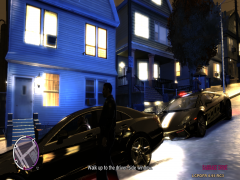
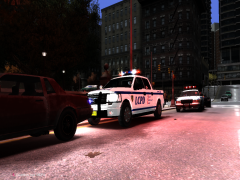
After last weeks departure of the LVMPD, the LCPD recently purchased a fleet of high performance vehicles that will replace some of their current worn down cruisers. Chosen officer's are being trained in Code 3 Driving at a specialist Police Advanced Driving School in San Fierro. On their return the mayor speculates that response times will be cut dramatically and MVA's involving LCPD vehicles will be almost non-exsistant. (See next photo for details on release date)

  • From the album:

    Yo Dawg, I heard you like photos..

    · 46 images

    Account

    Navigation

    Search

    Search

    Configure browser push notifications

    Chrome (Android)
    1. Tap the lock icon next to the address bar.
    2. Tap Permissions → Notifications.
    3. Adjust your preference.
    Chrome (Desktop)
    1. Click the padlock icon in the address bar.
    2. Select Site settings.
    3. Find Notifications and adjust your preference.