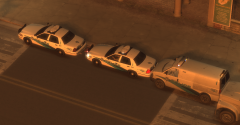
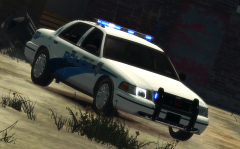
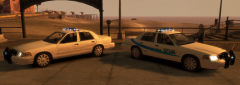
Another image from the recent promotional tour where the LCPD visited several locations. The aim with the tour was to create a more favourable image with the public following the recent years of trouble, starting with the Francis McReary scandal in 2008.


![[REL] Speedo livery pack expansion V1.0](http://s3-gallery.int-cdn.lcpdfrusercontent.com/gallery/album_33/sml_gallery_523_33_66934.png)
![[REL] Alderney County Sheriff livery pack V1.0](http://s3-gallery.int-cdn.lcpdfrusercontent.com/gallery/album_33/sml_gallery_523_33_918720.png)


![[REL] Glenolden PD style livery pack](http://s3-gallery.int-cdn.lcpdfrusercontent.com/gallery/album_33/sml_gallery_523_33_3681.png)
![[WIP] GPD LCPD style livery](http://s3-gallery.int-cdn.lcpdfrusercontent.com/gallery/album_33/sml_gallery_523_33_99609.png)

Recommended Comments
Join the conversation
You can post now and register later. If you have an account, sign in now to post with your account.