Skip to content
View in the app

A better way to browse. Learn more.

LCPDFR.com

A full-screen app on your home screen with push notifications, badges and more.

To install this app on iOS and iPadOS
  1. Tap the Share icon in Safari
  2. Scroll the menu and tap Add to Home Screen.
  3. Tap Add in the top-right corner.
To install this app on Android
  1. Tap the 3-dot menu (⋮) in the top-right corner of the browser.
  2. Tap Add to Home screen or Install app.
  3. Confirm by tapping Install.

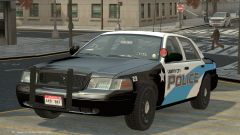
WIP DSF CVPI Blue&White

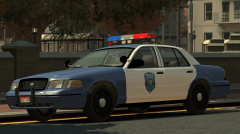
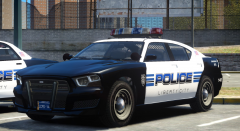
Update on the DSF Crown Vic skin I'm working on. I made the color darker, made the shield bigger and colored the roof. I also added the "Traffic" sign on the car. I will also add "Supervisor", "Patrol", and "K-9" for those who use K-9 cars.

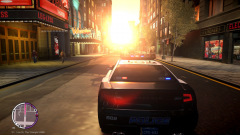
REAR SHOT

Q7GsWK4.png

BACK SHOT - Highlighting my custom license plate.

53qRMrx.png

From the album:

Textures! WIP/REL

· 54 images

Account

Navigation

Search

Search

Configure browser push notifications

Chrome (Android)
  1. Tap the lock icon next to the address bar.
  2. Tap Permissions → Notifications.
  3. Adjust your preference.
Chrome (Desktop)
  1. Click the padlock icon in the address bar.
  2. Select Site settings.
  3. Find Notifications and adjust your preference.