
Skip to content
View in the app

A better way to browse. Learn more.

LCPDFR.com

A full-screen app on your home screen with push notifications, badges and more.

To install this app on iOS and iPadOS
  1. Tap the Share icon in Safari
  2. Scroll the menu and tap Add to Home Screen.
  3. Tap Add in the top-right corner.
To install this app on Android
  1. Tap the 3-dot menu (⋮) in the top-right corner of the browser.
  2. Tap Add to Home screen or Install app.
  3. Confirm by tapping Install.

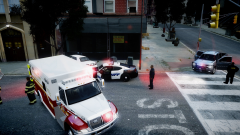
Early morning accident.

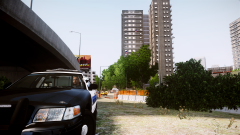
Oak Beach Emergecy Services responded to a car wreck this morning. The caller claimed that the driver was a police officer. Emergency services then stepped it up. When they arrived on scene they found a white Ford Crown Victoria Police Interceptor that had hit a tree. Deputies of the Oak Beach Sheriff's Office later determined the driver of the vehicle was not a law enforcement officer. After being brought to the hospital, he passed away 4 hours later.

May or may not be V8....

  • From the album:

    CrossFire's Pics V2

    · 86 images

    Account

    Navigation

    Search

    Search

    Configure browser push notifications

    Chrome (Android)
    1. Tap the lock icon next to the address bar.
    2. Tap Permissions → Notifications.
    3. Adjust your preference.
    Chrome (Desktop)
    1. Click the padlock icon in the address bar.
    2. Select Site settings.
    3. Find Notifications and adjust your preference.