


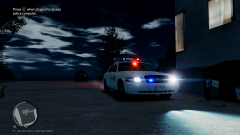
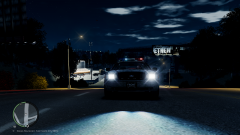
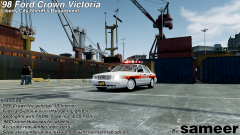


![[DSF] Charger SRT8 and Crown Vic with 3D Interiors....](http://s3-gallery.int-cdn.lcpdfrusercontent.com/gallery/album_1575/sml_gallery_20324_1575_876186.png)
![[Ingame/WIP] 3D Interior for DSF CVPI.](http://s3-gallery.int-cdn.lcpdfrusercontent.com/gallery/album_1575/sml_gallery_20324_1575_546478.png)
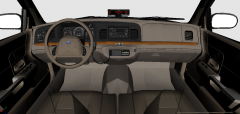
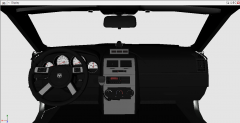
LCSD Pack... Coming Soon.

By Sameer
- 1,028 views
- View Sameer's images
LCSD Pack will include:
(POLC) DSF CVPI (With 3D Interior)
(POLP) DSF Charger (With 3D Interior)
(POLPAT) Chevy Tahoe
(NOOSE) '98 DSF CVPI (With 3D Interior)
(FIB) '10 DSF CVPI (Street Appearance Package) (With 3D Interior) All cars will feature a Front Steady Burn Pattern and Rear Amber-Blue setup (CA Style)
.........More pics will follow soon.


Recommended Comments
Join the conversation
You can post now and register later. If you have an account, sign in now to post with your account.