Skip to content
View in the app

A better way to browse. Learn more.

LCPDFR.com

A full-screen app on your home screen with push notifications, badges and more.

To install this app on iOS and iPadOS
  1. Tap the Share icon in Safari
  2. Scroll the menu and tap Add to Home Screen.
  3. Tap Add in the top-right corner.
To install this app on Android
  1. Tap the 3-dot menu (⋮) in the top-right corner of the browser.
  2. Tap Add to Home screen or Install app.
  3. Confirm by tapping Install.

Pursuit of Stolen Noose Challenger (After)

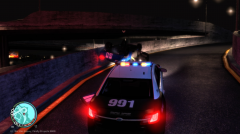
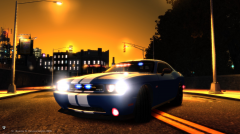
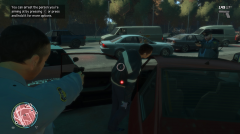
So I drove to the station in the unmarked Challenger, but ended up picking a marked Taurus. I got an event to join a pursuit, so I did. This dude runs up to my parked Challenger and steals it!! It literally blew my mind and I was super sad I didn't have FRAPS on. I would've loved to catch the chase. Anyway, the suspect slammed into the wall and flipped.

  • From the album:

    LCPDFR In Action

    · 53 images

    Account

    Navigation

    Search

    Search

    Configure browser push notifications

    Chrome (Android)
    1. Tap the lock icon next to the address bar.
    2. Tap Permissions → Notifications.
    3. Adjust your preference.
    Chrome (Desktop)
    1. Click the padlock icon in the address bar.
    2. Select Site settings.
    3. Find Notifications and adjust your preference.