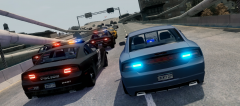
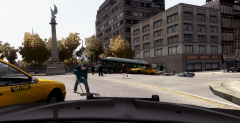
Hit and run Share https://www.lcpdfr.com/gallery/image/27396-hit-and-run/ Share on Facebook Share on X {lang="reddit_text" More sharing options... Followers At approx. 2024 hours last night, officer Phil MacRacken witnessed a vehicle vs. pedestrian accident. The vehicle left the scene. The hair-raising pursuit ended when the fleeing vehicle crashed into the barriers in the central reservation on ADE.
NickkAtNyte Members January 24, 201412 yr Author stats Was the passenger Walter Melon? Or Mike Hawk? Or Ben Dover, I can go on...lol
NicolaiB Members January 24, 201412 yr Author stats Was the passenger Walter Melon? Or Mike Hawk? Or Ben Dover, I can go on...lol Billy Willy:)







Recommended Comments
Join the conversation
You can post now and register later. If you have an account, sign in now to post with your account.