




EFLC 2014 01 19 15 05 25 02

By Murphy909
- 639 views
- View Murphy909's images
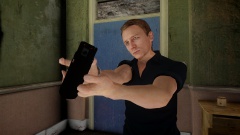
So I finally managed to bumble my way through Autodesk3DS and create a half decent pepper spray for GTA4. It took 3 days of meddling to finally get the model to not only sit right, but put textures on parts of the model that did not have textures before. I did not realise how difficult it was going to be. I am pleased with the results and if I could just figure out how to create new animations for it, I might actually consider releasing it. At the moment it has simply replaced my pistol and it uses the same weapon coding as the taser, so very effective for quick incapacitation at a short range. Violent deaths in the capital have reduced :)
Recommended Comments
Join the conversation
You can post now and register later. If you have an account, sign in now to post with your account.