


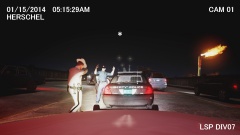
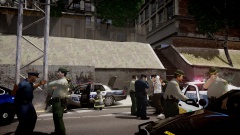
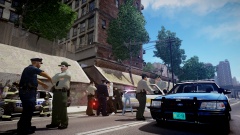

LSP Trooper pulls over Liberty Cop at gunpoint going 120 MPH.

- 1,852 views
- View LineOfJustice's images
01/18/2014
PLUMBERS SKYWAY, ALDERNEY - Liberty City police officer Jose Ramirez caught on LSP dashcam going 120 mph. The officer who was off-duty at the time of the incident, was heading to a private security gig in complete uniform and a marked squad car when an LSP Trooper attempted to pull him over. According to Trooper Herschel, the squad car was traveling at rates up to 120 mph and was crossing lanes recklessly. Herschel catches up to the squad car and activated his lights and sirens but Ramirez kept on going. Herschel continued to follow, but at one point loses sight of the squad car. After several minutes Herschel sees the squad car again going about 90 mph this time. Another chase insues for 5 minutes until Ramirez finally pulls over. Herschel believing this police car may have been stolen, approaches the driver's side door at gunpoint and orders Ramirez out. Ramirez complies with hands up and Herschel handcuffs him and places him in the back of his own squad car. Ramirez tells the Trooper he did not think he was being pulled over so therefore he kept going and apologized for doing so. The Trooper furiously tells him that he is a criminal for his recklessness before shutting the door on him. After being detained for about an hour, Ramirez is let go with a hefty citation and gets reprimanded one more time by the Trooper. Both the Liberty State Police and the Liberty City Police are investigating the incident. In the meantime, both the Officer and the Trooper are suspended with pay.
Recommended Comments
Join the conversation
You can post now and register later. If you have an account, sign in now to post with your account.