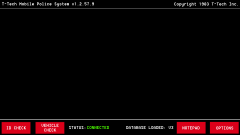
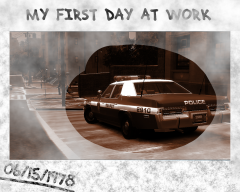
1980s Style Police Computer Background W.I.P Share https://www.lcpdfr.com/gallery/image/26446-1980s-style-police-computer-background-wip/ Share on Facebook Share on X {lang="reddit_text" More sharing options... Followers Since i planned to give my GTA a 70s/80s setting i thought it would need a new MDC Background. I wanted to make something that really looks basic and like it could very well be from the 80s. It's still a W.I.P
FCV96 Members January 7, 201412 yr Author stats Elwood: I bet these cops got SCMODS. Jake: SCMODS? Elwood: State County Municipal Offender Data System. ------- Anyone that gets that reference is almost as awesome as the background itself. Great work as always, Taximan! - I'll most certainly use this when it gets released.
strike Members January 7, 201412 yr Author stats Elwood: I bet these cops got SCMODS. Jake: SCMODS? Elwood: State County Municipal Offender Data System. ------- Anyone that gets that reference is almost as awesome as the background itself. Great work as always, Taximan! - I'll most certainly use this when it gets released. :D
FCV96 Members January 7, 201412 yr Author stats Strike, you win the internet. Taximan, I must once again commend your work on this to keep my comment relevant to the gallery posting, ha. For a WIP it looks qutie complete.
Taxi Members January 8, 201412 yr Author stats Strike, you win the internet. Taximan, I must once again commend your work on this to keep my comment relevant to the gallery posting, ha. For a WIP it looks qutie complete. I F'N LOVE YOU GUYS :D Blues Brothers is awesome. And to be honest by the time i had the idea for the background i was thinking about that scene :D And don't worry. I just need to do some minor things but it should be out soon :D



Recommended Comments
Join the conversation
You can post now and register later. If you have an account, sign in now to post with your account.