


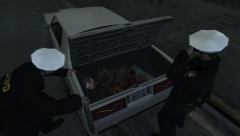







Happy New Year!

By Shekure
- 990 views
- View Shekure's images
On behalf of the LCPD, we take a moment to mention our thanks to our city's citizens for their loyalty to the Department throughout the ups and downs of this year. Despite political pressure and environmental shake ups, we at the LCPD have remained dedicated to reducing crime of Liberty City's streets as well as ensuring that you are kept safe. So without further ado, the LCPD wishes you new hopes and opportunities for 2014 and the road ahead. We wish you a very Happy and Successful Year. Stay safe out there everyone!
Recommended Comments
Join the conversation
You can post now and register later. If you have an account, sign in now to post with your account.