




Skip to content
View in the app

A better way to browse. Learn more.

LCPDFR.com

A full-screen app on your home screen with push notifications, badges and more.

To install this app on iOS and iPadOS
  1. Tap the Share icon in Safari
  2. Scroll the menu and tap Add to Home Screen.
  3. Tap Add in the top-right corner.
To install this app on Android
  1. Tap the 3-dot menu (⋮) in the top-right corner of the browser.
  2. Tap Add to Home screen or Install app.
  3. Confirm by tapping Install.

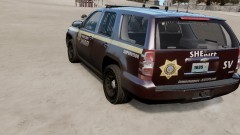
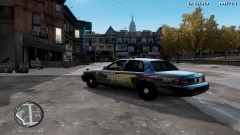
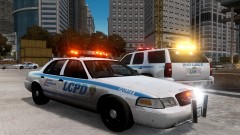
Sheriff WIP

Last week, at a Vespucci University school board meeting, there had been talks of installing the DARE program into the university, as there were many incidents with students getting into drugs in 2012... The program was passed and the program will be a class starting next month. Vespucci hopes the number of students getting into drugs (and alcohol) will drop, if not go away. Sheriff Deputy Collins will be in charge of the classes along with four other Deputies. (Skins by me)

  • From the album:

    Random Pics

    · 14 images

    Account

    Navigation

    Search

    Search

    Configure browser push notifications

    Chrome (Android)
    1. Tap the lock icon next to the address bar.
    2. Tap Permissions → Notifications.
    3. Adjust your preference.
    Chrome (Desktop)
    1. Click the padlock icon in the address bar.
    2. Select Site settings.
    3. Find Notifications and adjust your preference.