

Skip to content
View in the app

A better way to browse. Learn more.

LCPDFR.com

A full-screen app on your home screen with push notifications, badges and more.

To install this app on iOS and iPadOS
  1. Tap the Share icon in Safari
  2. Scroll the menu and tap Add to Home Screen.
  3. Tap Add in the top-right corner.
To install this app on Android
  1. Tap the 3-dot menu (⋮) in the top-right corner of the browser.
  2. Tap Add to Home screen or Install app.
  3. Confirm by tapping Install.

Expeditions

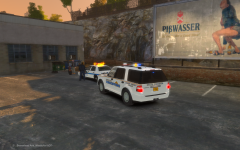
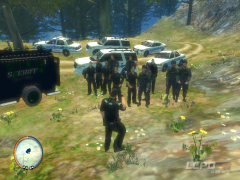
An Alderney State Trooper checks out some brand new Expeditions just delivered to his division and ready for patrol.

Cars part of Gfxle's AST Expedition Pack

Meanwhile, I got a new PC. Specs:

Case-Corsair Carbide 300R

Graphics Card- NVIDEA Geforce GTX 650 TI Superclocked

Processor-Intel Core i5

Motherboard-MSI Z87-G45 Gaming

Power Supply- Kingwin ME-600

OS-Windows 8

  • From the album:

    Random Stuff

    · 19 images

    Account

    Navigation

    Search

    Search

    Configure browser push notifications

    Chrome (Android)
    1. Tap the lock icon next to the address bar.
    2. Tap Permissions → Notifications.
    3. Adjust your preference.
    Chrome (Desktop)
    1. Click the padlock icon in the address bar.
    2. Select Site settings.
    3. Find Notifications and adjust your preference.