








Police Activity in Downtown LS

By Effegi88
- 457 views
- View Effegi88's images
On May 4th, 2023 at approximately 10:40am, an ANPR Hit was dispatched for a vehicle owned by a man wanted for a Hit and Run.
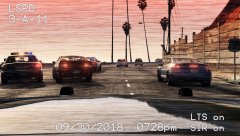
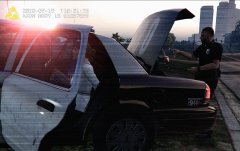
Responding unit performed a traffic stop at 3205 block of Adam's Apple Blvd and additional units were dispatched for a felony stop of the vehicle, occupied by the suspect and a unknown woman.
The suspect was later identified as Brandon Green, 41 y.o., wanted for a Hit and Run occurred in 2022.
As the driver was instructed to turn of the engine, he and the woman exited the vehicle.
The woman fled the scene, while Mr. Green produced a taser, firing at the officers before running towards a parked car.
Mr. green was able to turn on the engine and ran over a officer.
A pursuit occurred.
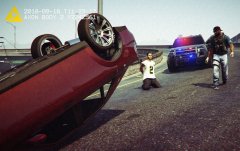
At intersection between Adam's Apple Blvd and Fantastic Plc., the suspect lost the control of the vehicle, spinning and crashing in a tree on the sidewalk.
After a brief chase on foot, LSPD Officers deployed a taser and the suspect was aprrehended without further incident.
The Officer struck by the stolen vehicle was treated by EMS for bruises.
Mr. Green was charged with the following offences:
-one count of Attempted Murder of a Police Officer
-one count of Assault on a Police Officer
-one count of GTA
-one count of a Hit and Run
-one count of Reckless Driving and Endagerement
-one count of Fleeing Police Resulting in Injured and Property Damage
According to Court, Mr. Green could be sentenced up to 58yrs in prison, $20.000 fine and license revoked
Recommended Comments
Join the conversation
You can post now and register later. If you have an account, sign in now to post with your account.