

Skip to content
View in the app

A better way to browse. Learn more.

LCPDFR.com

A full-screen app on your home screen with push notifications, badges and more.

To install this app on iOS and iPadOS
  1. Tap the Share icon in Safari
  2. Scroll the menu and tap Add to Home Screen.
  3. Tap Add in the top-right corner.
To install this app on Android
  1. Tap the 3-dot menu (⋮) in the top-right corner of the browser.
  2. Tap Add to Home screen or Install app.
  3. Confirm by tapping Install.

271590_20201127162524_1

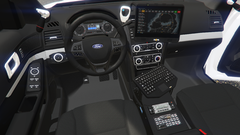
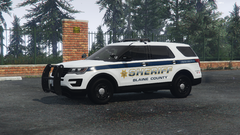
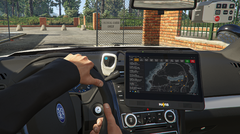
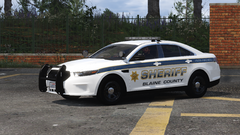
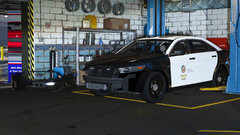
Haven't been able to post anything for a while, but here's a sneak peek of my next project -- a BCSO Interceptor with the Liberty I lightbar. Continuing down my ELS/non-ELS hybrid path, this time the lightbar will also be non-ELS in light stage 3 to achieve a fully customized and realistic pattern (I've never been truly satisfied with the ELS patterns). Hopefully, more progress will follow soon!

From the album:

KLE0 Work In Progress

· 46 images

Account

Navigation

Search

Search

Configure browser push notifications

Chrome (Android)
  1. Tap the lock icon next to the address bar.
  2. Tap Permissions → Notifications.
  3. Adjust your preference.
Chrome (Desktop)
  1. Click the padlock icon in the address bar.
  2. Select Site settings.
  3. Find Notifications and adjust your preference.