

Skip to content
View in the app

A better way to browse. Learn more.

LCPDFR.com

A full-screen app on your home screen with push notifications, badges and more.

To install this app on iOS and iPadOS
  1. Tap the Share icon in Safari
  2. Scroll the menu and tap Add to Home Screen.
  3. Tap Add in the top-right corner.
To install this app on Android
  1. Tap the 3-dot menu (⋮) in the top-right corner of the browser.
  2. Tap Add to Home screen or Install app.
  3. Confirm by tapping Install.

Happy Thanksgiving!

Hope everyone is doing well today, I'd just like to thank everyone for the continued support for my work ❤️ 


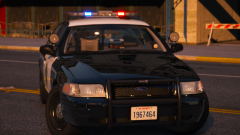
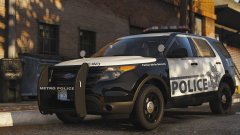
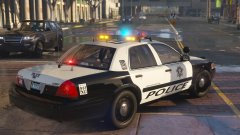
That aside, I'm pretty sure the LSMPD pack is done, just needs some finishing touches and testing so it should be out in a week at most!


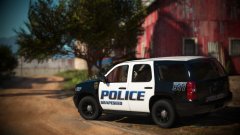
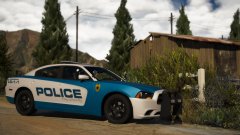
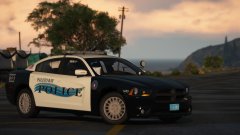
Further, in the pic you obviously don't see LSMPD, that's my newest mini-pack that should have around four vehicles centered around the Paleto Bay PD! This one should be out fairly soon too!

More updates and stuff here: 

https://discord.gg/wsEyXUK


20181122002855_1.jpg

20181120213255_1.jpg

20181122003542_1.jpg

20181115213052_1.jpg

Account

Navigation

Search

Search

Configure browser push notifications

Chrome (Android)
  1. Tap the lock icon next to the address bar.
  2. Tap Permissions → Notifications.
  3. Adjust your preference.
Chrome (Desktop)
  1. Click the padlock icon in the address bar.
  2. Select Site settings.
  3. Find Notifications and adjust your preference.