

Skip to content
View in the app

A better way to browse. Learn more.

LCPDFR.com

A full-screen app on your home screen with push notifications, badges and more.

To install this app on iOS and iPadOS
  1. Tap the Share icon in Safari
  2. Scroll the menu and tap Add to Home Screen.
  3. Tap Add in the top-right corner.
To install this app on Android
  1. Tap the 3-dot menu (⋮) in the top-right corner of the browser.
  2. Tap Add to Home screen or Install app.
  3. Confirm by tapping Install.

Bayview Lodge Fire

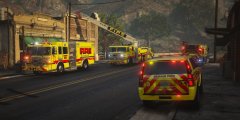
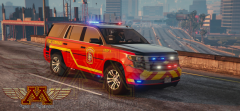
A kitchen fire at the Bayview Lodge, Diner & General Store brought Blaine Fire units to the scene. The fire was quickly brought under control. Units handling the incident were Engine 11, Ladder 31, and Tender 10. The Battalion Chief monitored the incident.


You can see here Tender 10 backed in to supply if needed. Ladder 31 investigated the roof and ventilation area for extension.

20180616231214_1.jpg

20180616231148_1.jpg

From the album:

medic4523 Screenshots

· 217 images

Account

Navigation

Search

Search

Configure browser push notifications

Chrome (Android)
  1. Tap the lock icon next to the address bar.
  2. Tap Permissions → Notifications.
  3. Adjust your preference.
Chrome (Desktop)
  1. Click the padlock icon in the address bar.
  2. Select Site settings.
  3. Find Notifications and adjust your preference.