Skip to content
View in the app

A better way to browse. Learn more.

LCPDFR.com

A full-screen app on your home screen with push notifications, badges and more.

To install this app on iOS and iPadOS
  1. Tap the Share icon in Safari
  2. Scroll the menu and tap Add to Home Screen.
  3. Tap Add in the top-right corner.
To install this app on Android
  1. Tap the 3-dot menu (⋮) in the top-right corner of the browser.
  2. Tap Add to Home screen or Install app.
  3. Confirm by tapping Install.
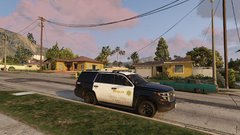
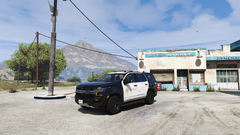
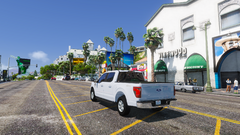
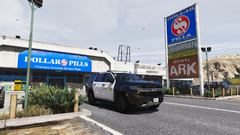
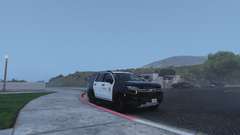
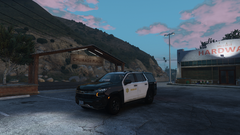
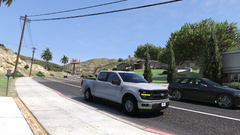
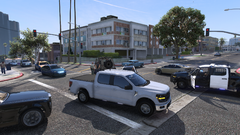
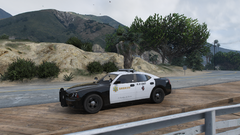
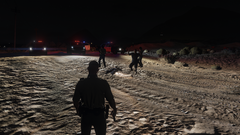
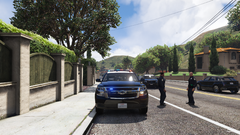
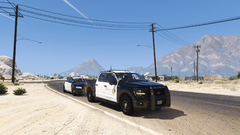
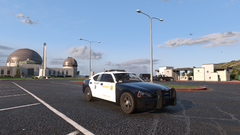
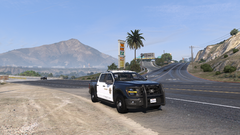
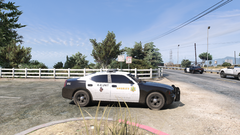
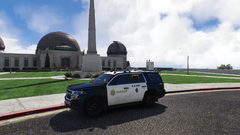
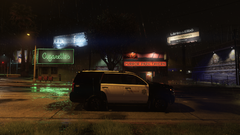
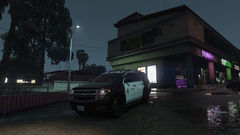
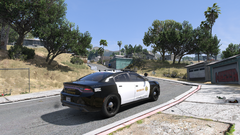
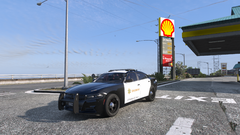
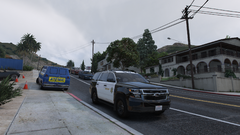
LSSD

LSSD

Album created by J T · Updated

los santos county sheriff

J T

Members

14 hours ago, xXlongshot45Xx said:

you plan on releasing these cars soon ? 

what cars? I don't make models dude

xXlongshot45Xx

Members

(edited)

3 hours ago, J T said:

what cars? I don't make models dude


Edited by xXlongshot45Xx

ygurov

Members

Hi buddy! Can I request a link for every single car models you used for this skin? Thank you!


TallOak

Members

Hi. Where did you get the skins for the CVPI and the Charger from? Could you provide a link? Thx.

Wallace56

Members

Le 12/04/2018 à 18:59, JT a dit :

Quelles voitures ? Je ne fais pas de modèles, mec

Hello, it's els

Afedsff

Members

May I ask where you got this car?

Could contain: outdoor, vehicle, wheel, sky, tire, land vehicle, road, sport utility vehicle, compact sport utility vehicle, motor vehicle, auto part, automotive exterior, land rover, bumper, car, mountain, street, travel

J T

Members

On 10/12/2024 at 10:53 PM, Afedsff said:

May I ask where you got this car?

Could contain: outdoor, vehicle, wheel, sky, tire, land vehicle, road, sport utility vehicle, compact sport utility vehicle, motor vehicle, auto part, automotive exterior, land rover, bumper, car, mountain, street, travel

lapd code 3 you have to ask him, he has a discord

Join the conversation

You can post now and register later. If you have an account, sign in now to post with your account.

Guest
Add a comment...

Recently Browsing 0

  • No registered users viewing this page.

Account

Navigation

Search

Search

Configure browser push notifications

Chrome (Android)
  1. Tap the lock icon next to the address bar.
  2. Tap Permissions → Notifications.
  3. Adjust your preference.
Chrome (Desktop)
  1. Click the padlock icon in the address bar.
  2. Select Site settings.
  3. Find Notifications and adjust your preference.