Skip to content
View in the app

A better way to browse. Learn more.

LCPDFR.com

A full-screen app on your home screen with push notifications, badges and more.

To install this app on iOS and iPadOS
  1. Tap the Share icon in Safari
  2. Scroll the menu and tap Add to Home Screen.
  3. Tap Add in the top-right corner.
To install this app on Android
  1. Tap the 3-dot menu (⋮) in the top-right corner of the browser.
  2. Tap Add to Home screen or Install app.
  3. Confirm by tapping Install.

Creating custom strobe lights on custom objects

Featured Replies

Hello there 🙂


I'm searching for a way to make a strobe light working on a copy of actual headlights
The object is just a little lens that represent the normal light on an s15 front
1539763821-led.jpg
(the middle one)

So, what i did is starting from a tutorial on youtube that just explained how to separate parts and making them working as extra with proper names (from this video : https://www.youtube.com/watch?v=oNv_CvSUfXQ)
But the difference is that i'm looking to make the car as an addon for fiveM, once i builded-up a template i found on gta5-mods.com and tried it, the light wasn't working
I tried to take a working police mod streamed files and just put my model on it and this time the lights were working in-game

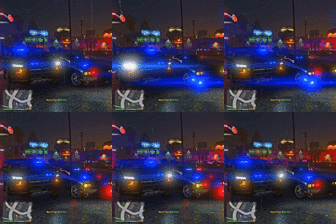
So, i was wondering what exactly is making working these lights in-game (just the strobes), then, how can i make the texture lighting (if possible) like an actual light and having this strobe effect like on the s13 on the first video, and then having that white colour
I also need to move the coronas of the siren because actually one is weirdly placed...
And all that without any script, and without the lspdfr mod

Can anyone help me for that?

Edited by Klaceyes

Join the conversation

You can post now and register later. If you have an account, sign in now to post with your account.

Guest
Reply to this topic...

Recently Browsing 0

  • No registered users viewing this page.

Account

Navigation

Search

Search

Configure browser push notifications

Chrome (Android)
  1. Tap the lock icon next to the address bar.
  2. Tap Permissions → Notifications.
  3. Adjust your preference.
Chrome (Desktop)
  1. Click the padlock icon in the address bar.
  2. Select Site settings.
  3. Find Notifications and adjust your preference.