Skip to content
View in the app

A better way to browse. Learn more.

LCPDFR.com

A full-screen app on your home screen with push notifications, badges and more.

To install this app on iOS and iPadOS
  1. Tap the Share icon in Safari
  2. Scroll the menu and tap Add to Home Screen.
  3. Tap Add in the top-right corner.
To install this app on Android
  1. Tap the 3-dot menu (⋮) in the top-right corner of the browser.
  2. Tap Add to Home screen or Install app.
  3. Confirm by tapping Install.

Creating Staff Profile Pictures

Featured Replies

Well, I know I'm going to sound like a complete idiot asking this, but I'm actually curious on how you make the Staff profile pictures you guys use.


I want to make something similar for a forum I, Myself run Personally.


I may be posting this in the wrong forum section, but in my eyes, it's a question about the site.

I'm really interested and curious so I can create photo's for my staff to make them stand out and look cool.


Thanks.

(I'm an idiot for asking this. But you already know that.)

"If you never fail, you will never learn from your mistakes."


md4RSFK.png

  • The title was changed to Creating Staff Profile Pictures

I'm a tad bit confused, do you mean how you make/edit images, or who came up with the design?  If you mean the former, you'd use a program like GIMP, PhotoShop, etc.

I need donations to help fund my food addiction. DM for details 😂

  • Author

How to make the images.


Technically asking how I create the profile picture You are using, since you're a moderator.


You have a unique profile picture, which I am trying to recreate for my community.


That's what I'm asking.

"If you never fail, you will never learn from your mistakes."


md4RSFK.png

37 minutes ago, xxl3lackburnxx said:

How to make the images.


Technically asking how I create the profile picture You are using, since you're a moderator.


You have a unique profile picture, which I am trying to recreate for my community.


That's what I'm asking.


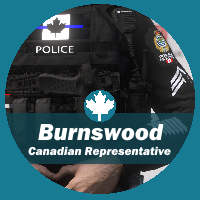
Just open up the editing software you use and start working on designs from scratch.  The image itself is just of my LSPDFR character, the moderator text and other stuff was just added over it.  It's really up to you on how you'd like your staff images to be made.  Personally, I'd just go into your editing software and start playing around with designs until you find one you like.

I need donations to help fund my food addiction. DM for details 😂

  • Author

Yeah, I'm trying to obtain a template for the Moderator text and such. I'm not a great digital artist.

"If you never fail, you will never learn from your mistakes."


md4RSFK.png

5 hours ago, xxl3lackburnxx said:

Yeah, I'm trying to obtain a template for the Moderator text and such. I'm not a great digital artist.


Unfortunately, the specific template we use is kept between staff only.  I'm sure there are plenty of templates online if you Google them.

I need donations to help fund my food addiction. DM for details 😂

  • Author

Alrighty.


You got any keyword suggestions I can maybe use?


I'll keep looking around.

"If you never fail, you will never learn from your mistakes."


md4RSFK.png

Join the conversation

You can post now and register later. If you have an account, sign in now to post with your account.

Guest
Reply to this topic...

Recently Browsing 0

  • No registered users viewing this page.

Account

Navigation

Search

Search

Configure browser push notifications

Chrome (Android)
  1. Tap the lock icon next to the address bar.
  2. Tap Permissions → Notifications.
  3. Adjust your preference.
Chrome (Desktop)
  1. Click the padlock icon in the address bar.
  2. Select Site settings.
  3. Find Notifications and adjust your preference.