Skip to content
View in the app

A better way to browse. Learn more.

LCPDFR.com

A full-screen app on your home screen with push notifications, badges and more.

To install this app on iOS and iPadOS
  1. Tap the Share icon in Safari
  2. Scroll the menu and tap Add to Home Screen.
  3. Tap Add in the top-right corner.
To install this app on Android
  1. Tap the 3-dot menu (⋮) in the top-right corner of the browser.
  2. Tap Add to Home screen or Install app.
  3. Confirm by tapping Install.

ELS car requests

Featured Replies

just simple nothing crazy don't worry about skins I can make them myself

caprice w/hub caps and  ford explorer and charger

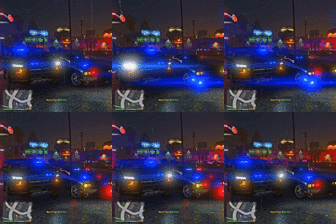
options: i want lightbar to fully go on when i hit the cruise key just like in the second picture and be able to see the traffic adviser when i hit the k key


slicktop charger 08 and 11 to 13


what im trying to see now that we have ELS is something like these on these video but for gta5


ri189.jpg

GTA5 2017-01-07 20-22-54-070.png

ri164.jpg

New Reflective Stripe Tape Pic 4.jpg

Edited by J.J Designs

Join the conversation

You can post now and register later. If you have an account, sign in now to post with your account.

Guest
Reply to this topic...

Recently Browsing 0

  • No registered users viewing this page.

Account

Navigation

Search

Search

Configure browser push notifications

Chrome (Android)
  1. Tap the lock icon next to the address bar.
  2. Tap Permissions → Notifications.
  3. Adjust your preference.
Chrome (Desktop)
  1. Click the padlock icon in the address bar.
  2. Select Site settings.
  3. Find Notifications and adjust your preference.