Skip to content
View in the app

A better way to browse. Learn more.

LCPDFR.com

A full-screen app on your home screen with push notifications, badges and more.

To install this app on iOS and iPadOS
  1. Tap the Share icon in Safari
  2. Scroll the menu and tap Add to Home Screen.
  3. Tap Add in the top-right corner.
To install this app on Android
  1. Tap the 3-dot menu (⋮) in the top-right corner of the browser.
  2. Tap Add to Home screen or Install app.
  3. Confirm by tapping Install.

Weird Bug

Featured Replies

Hello,


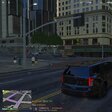
so i just get this freaking annoying bug, that if i have a partner in LCPD:FR, very often this happens:


8if4lfO.jpg

You may ask now: "Why is that annoying?", because i can only Move if i hold Alt otherwise i can just rotate the character. If i try to walk normally, after like 1-2 seconds my character does that again. 


BTW: I installed a model replacement as you can see, but here's the thing: I edited the Swat Ped in the peds.ide, so that the Swat Ped doesn't crouches the whole time. He walks upright. I think that it possibly has something to do with that. So here's the entry in the peds.ide:


M_Y_Swat, M_Y_Swat_p, COP, move_m@bness_a, GESTURES@MALE, GESTURES@M_PHONE, FACIALS@M_LO, visemes@m_lo, 0, move_m@bness_a, null, -1,-1, PED_TYPE_PLAYER, VOICE_PLY_CR


Well, i hope someone can help me out.  :wacko:

Edited by errorthingy

Join the conversation

You can post now and register later. If you have an account, sign in now to post with your account.

Guest
Reply to this topic...

Recently Browsing 0

  • No registered users viewing this page.

Account

Navigation

Search

Search

Configure browser push notifications

Chrome (Android)
  1. Tap the lock icon next to the address bar.
  2. Tap Permissions → Notifications.
  3. Adjust your preference.
Chrome (Desktop)
  1. Click the padlock icon in the address bar.
  2. Select Site settings.
  3. Find Notifications and adjust your preference.