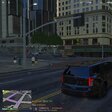
November 1, 201411 yr PC SPECS: Processor: AMD FX - 6300 Six core processor RAM (system memory) 12 GB Graphics Card: AMD Radeon HD 7470 series Dedicated graphics memory: 1024 MB Space available: 33.3 GB out of 150 GB Alright, so my problem is simple. I start LCPDFR for a rough estimate of 15-20 minutes. Then the textures start glitching. The buildings in the distance start looking like crap, and when I look behind me I see a dark blue void. When this happens, the FPS increases significantly. I tried lowering my graphics on the game, using various commandline codes, playing in windowed mode, nothing. Help.
November 1, 201411 yr Simple: lower down the amount of script/vehicle mods you have or change them so that this happens less often.




.thumb.PNG.06391446ab5ec24d19e51d1695e226b9.PNG)
Only reply here to offer help or assistance to
Deactivated Member. Off-topic or "me too" replies will be removed.Need support yourself? Make a new topic instead.
Join the conversation
You can post now and register later. If you have an account, sign in now to post with your account.