Skip to content
View in the app

A better way to browse. Learn more.

LCPDFR.com

A full-screen app on your home screen with push notifications, badges and more.

To install this app on iOS and iPadOS
  1. Tap the Share icon in Safari
  2. Scroll the menu and tap Add to Home Screen.
  3. Tap Add in the top-right corner.
To install this app on Android
  1. Tap the 3-dot menu (⋮) in the top-right corner of the browser.
  2. Tap Add to Home screen or Install app.
  3. Confirm by tapping Install.
The latest updated version of RAGE Plugin Hook, required to play LSPDFR, can be found inside the LSPDFR download. It is not currently available on the RAGE Plugin Hook website.
ELS not functioning

Featured Replies

Im stumped here,

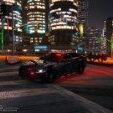
i recently reinstalled LSPDFR and i noticed something with my vehicles, when i use ELS many if not all the lights on certain cars dont flash when switching through specific stages. the ELS panel shows that the part is lit up and the pattern is flashing but parts like the lightbar do not display it and seem off. i tried these steps below.

-Updating Scripthookv

-Uninstalling and reinstalling ELS

-uninstalling and reinstalling ASI manager in openiv

-replacing my visualsettings.dat with a vanilla backup

-reinstalling the xml files of specific cars not working

For example, one of my mods the tahoe rearwindow lights will flash like normal but the siderunners, lightbar, pushbar lights, etc. dont even turn on. and on another model the charger the rear window lights work for stg 1 and 2 and nothing shows for stage 3.

i also tried a different pack that worked normal so i dont know if its a els related issue as these models are from 2 different creators and they worked before i deleted the game.

  • Community Team

It sounds like it could just be those models dont have those lights assigned to be used.


I0B5P1Y.png

Your topic has been moved to GTA V Support, this is not LSPDFR related.
Please post in the correct location in the future.

Help us to help you! 


Report Site Guideline violations by selecting the three dots at the top right of posts!

  • Author
54 minutes ago, UnknownBastion said:

It sounds like it could just be those models dont have those lights assigned to be used.


I0B5P1Y.png

Your topic has been moved to GTA V Support, this is not LSPDFR related.
Please post in the correct location in the future.

Can that be it? Cause they worked before i uninstalled and now they dont.

This is a support topic.
Only reply here to offer help or assistance to Bryson8256. Off-topic or "me too" replies will be removed.

Need support yourself? Make a new topic instead.

Join the conversation

You can post now and register later. If you have an account, sign in now to post with your account.

Guest
Reply to this topic...

Recently Browsing 0

  • No registered users viewing this page.

Account

Navigation

Search

Search

Configure browser push notifications

Chrome (Android)
  1. Tap the lock icon next to the address bar.
  2. Tap Permissions → Notifications.
  3. Adjust your preference.
Chrome (Desktop)
  1. Click the padlock icon in the address bar.
  2. Select Site settings.
  3. Find Notifications and adjust your preference.