Skip to content
View in the app

A better way to browse. Learn more.

LCPDFR.com

A full-screen app on your home screen with push notifications, badges and more.

To install this app on iOS and iPadOS
  1. Tap the Share icon in Safari
  2. Scroll the menu and tap Add to Home Screen.
  3. Tap Add in the top-right corner.
To install this app on Android
  1. Tap the 3-dot menu (⋮) in the top-right corner of the browser.
  2. Tap Add to Home screen or Install app.
  3. Confirm by tapping Install.
The latest updated version of RAGE Plugin Hook, required to play LSPDFR, can be found inside the LSPDFR download. It is not currently available on the RAGE Plugin Hook website.

Non-ELS siren ENV settings
Featured Replies

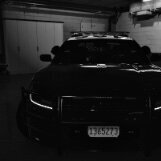
Hello all! Finally bit the bullet and figured out this whole non-Els craze and lemme tell you wow…. Game changer lol. Well I’ve been using a new system that I came up with (im

sure it’s been done and whatever else idk) where I group the sirens into extras that toggle via ELS giving it stages (because I’m way too lazy to figure out DLS and I’ve been using Els for like idk what almost 7 years now?) 


Anyway to cut to the chase I’m having a couple issues; mainly the siren’s ENV lighting is shining through the vehicle mesh into the passenger compartment for the sirens on the LB. Now I’ve edited the Outer cone angle and this can reduce/remove completely the in-cab env issue however then they are just little tiny spots of light and that’s lame. So I wanted to see what setting or hierarchy situation’s gotta go down to stop that from happening. Secondly, I have SSLA installed, and one of my builds (San Luis Obispo County Sheriff 2019 Tahoe PPV) has <20 sirens, I can edit up to 32 in LiveLights, and save the carcols.meta for it and that’s all good but when it’s installed in game the sirens <20 don’t show up. They show up and work fine if I import the particular .meta via LiveLights they just don’t engage naturally. So wanted to see what was up with that as well. 
 

Thank you all! 
Cheers, 

CCM805

This is a support topic.
Only reply here to offer help or assistance to CentralCoastMods805. Off-topic or "me too" replies will be removed.

Need support yourself? Make a new topic instead.

Join the conversation

You can post now and register later. If you have an account, sign in now to post with your account.

Guest
Reply to this topic...

Recently Browsing 0

  • No registered users viewing this page.

Account

Navigation

Search

Search

Configure browser push notifications

Chrome (Android)
  1. Tap the lock icon next to the address bar.
  2. Tap Permissions → Notifications.
  3. Adjust your preference.
Chrome (Desktop)
  1. Click the padlock icon in the address bar.
  2. Select Site settings.
  3. Find Notifications and adjust your preference.