Skip to content
View in the app

A better way to browse. Learn more.

LCPDFR.com

A full-screen app on your home screen with push notifications, badges and more.

To install this app on iOS and iPadOS
  1. Tap the Share icon in Safari
  2. Scroll the menu and tap Add to Home Screen.
  3. Tap Add in the top-right corner.
To install this app on Android
  1. Tap the 3-dot menu (⋮) in the top-right corner of the browser.
  2. Tap Add to Home screen or Install app.
  3. Confirm by tapping Install.

Scripthookvdotnet interfering with stop the ped and some plugins.

Featured Replies

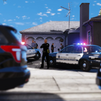
Hi guys, recently I got a problem with stop the ped and found out that scripthookvdotnet is the one causing the issue. So basically sometimes my scripts suddenly stops working but I can just reload it whenever I want so that's not the main problem, the main problem is the stop the ped. So whenever all the script stops, stop the ped will suddenly bug out and whenever I'm in a traffic stops and click the bind to open the menu (E) and my character will start to say "HEY WAIT UP" and the ped will get out of his car and stand there. Whenever you try to open the menu again It'll say that line again, But "You can just reload the plugins right??". No, whenever I ForceDuty, Lspdfr will crash so if anyone has a solution to this problem, Share it to me pls.

Could contain: text, font, graphics, logo, graphic design, typography, design

Join the conversation

You can post now and register later. If you have an account, sign in now to post with your account.

Guest
Reply to this topic...

Recently Browsing 0

  • No registered users viewing this page.

Account

Navigation

Search

Search

Configure browser push notifications

Chrome (Android)
  1. Tap the lock icon next to the address bar.
  2. Tap Permissions → Notifications.
  3. Adjust your preference.
Chrome (Desktop)
  1. Click the padlock icon in the address bar.
  2. Select Site settings.
  3. Find Notifications and adjust your preference.