Skip to content
View in the app

A better way to browse. Learn more.

LCPDFR.com

A full-screen app on your home screen with push notifications, badges and more.
To install this app on iOS and iPadOS
  1. Tap the Share icon in Safari
  2. Scroll the menu and tap Add to Home Screen.
  3. Tap Add in the top-right corner.
To install this app on Android
  1. Tap the 3-dot menu (⋮) in the top-right corner of the browser.
  2. Tap Add to Home screen or Install app.
  3. Confirm by tapping Install.

New Cop model! 1.0 BETA

(8 reviews)

4 Screenshots

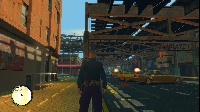
This was thrown together by myself it is my first mod!

This is a BETA and there are bugs I am working to fix.

Credits - View the "Read Me"

User Feedback

Recommended Comments

EFox

Members

Holy crap! This looks amazing! You have my download.

Nick55

Members

Damn You, i was working on one!

ANYWAYS! IMA DOWNLOAD THIS!

Laqueesha

Members

Looks great, nice belt and radio. Could you possibly make an LCPD version of this?

Nick55

Members

Im actually Re-texturing this to NYPD (Hometown)

nvisiblenv

Members

plz make a LAPD one too

CEO

Members

could you make a version with the radio wire running over his back? anyways, Nice mod I really like it! you should be proud.

Tim

Liberty Modding Studios©

cp702

Friends of LSPDFR

Is there a video?

Nick55

Members

Well I Have stumble thru a problem not that much tho but I Realized NYPD Doesnt use tazers But i deleted it but I would like to release Both

ONLY WITH PERMISSON

Mazeroy

Members Author

You can change anything you want! Release it keep it for yourself I don't care up to you.

Bleed Blue

Members

Nice uniform...

K9Commander

Members

Thank You! Keep up the great work!

You guys have a download link for the Games for Windows Live Redistributable 3?

Thank You! Keep up the great work!

~Assistant chief~ Nice belt.

Create an account or sign in to comment

Latest Mods

Account

Navigation

Search

Search

Configure browser push notifications

Chrome (Android)
  1. Tap the lock icon next to the address bar.
  2. Tap Permissions → Notifications.
  3. Adjust your preference.
Chrome (Desktop)
  1. Click the padlock icon in the address bar.
  2. Select Site settings.
  3. Find Notifications and adjust your preference.

