





🚨 🩸 CustomInjuredState 🩸 🚨
[Stable version]
❓ About This Mod
Tired of just dying and instantly teleporting to the hospital? CustomInjuredState completely overhauls the injury and death mechanics in LSPDFR to bring a whole new level of realism and immersion to your patrols! 🚔 When your health drops, you don't just drop dead—you fight for your life on the ground while waiting for your backup.
🌟 Key Features
🩹 Critical Phase (Limping): Before completely collapsing, reaching a low health threshold will force your character into a critical state, making you limp and struggle to walk.
🧠 Immersive Player Down State: If you take too much damage, you collapse to the ground. Your screen blurs, a heavy red blood filter appears, and you hear a realistic heartbeat sound effect while you bleed out.
🖥️ Custom UI & Death Screen: While incapacitated, the native game HUD dynamically hides to reveal a fully custom death screen and immersive user interface. It displays your critical status, a live countdown timer, and interactive prompts to call for an ambulance or request hospital transport. It also features detailed on-screen notifications like EMS incident reports and department text messages. (HUD hiding is toggleable in the
.ini).🛡️ Anti-Wasted System: Taking massive damage (like high falls or explosions) seamlessly triggers the mod's injured state instead of the native instant death screen, keeping your patrol immersive.
🚑 On-Scene EMS Revival: Call for an ambulance! A custom EMS team will rush to your location with a medical bag, assess your injuries, and perform CPR with detailed animations and custom dialogs. Once the procedure is complete, you get back on your feet right on the scene to continue your patrol!
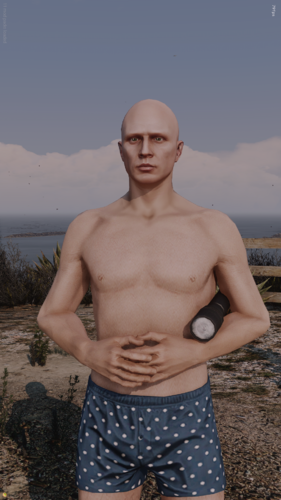
🏥 Hospital Transport: Rescue taking too long? After a configured cooldown on the ground, you can request an immediate hospital transport. Time will pass, and you will wake up inside the nearest hospital wearing a patient outfit, receiving supportive text messages from your department.
🩺 Dynamic NPC Treatment: EMS won't just treat you! They scan the area for dead NPCs and perform CPR on them. Before leaving the scene, paramedics physically pull out a clipboard and write a realistic medical report.
🔊 Auto Panic Button Integration: Automatically triggers a panic button backup when you go down. Fully integrated with Ultimate Backup and Policing Redefined.
🤝 High Compatibility: Built with continuous protection loops to ensure flawless compatibility with external trainers like Menyoo, keeping your injured state active and protected at all times.
⚙️ Fully Customizable: Change keybinds, language, wait times, and toggle features via the
.iniconfig file. A dedicatedDebugModeis also available to generate logs for easy troubleshooting.
📦 Requirements
⚙️ RagePluginHook & LSPDFR (Latest version)
🚔 Ultimate Backup OR Policing Redefined (For the automatic panic button)
🛠️ OpenIV (MANDATORY to install the 2 included
.oivfiles for the logo and EMS props)
💿 Installation
Please refer to the included README.txt. ⚠️ Do not forget to install BOTH .oiv files via OpenIV to ensure all custom medical props (stretcher, medical bag) and notification logos work correctly in-game!
❓ À Propos du Mod
Fatigué de mourir et de réapparaître instantanément à l'hôpital ? CustomInjuredState repense complètement les mécaniques de blessure dans LSPDFR pour apporter un réalisme inédit à vos patrouilles ! 🚔 Lorsque votre santé baisse, vous ne tombez pas mort instantanément : vous vous battez pour votre survie au sol en attendant les secours.
🌟 Fonctionnalités Principales
🩹 Phase Critique (Boitement) : Avant de vous effondrer, si votre santé est très basse, votre personnage passera dans un état critique, se mettra à boiter et aura du mal à se déplacer.
🧠 Blessure Immersive au Sol : Si vous prenez trop de dégâts, vous vous effondrez. L'écran devient flou, un filtre rouge sang s'active, et vous entendez les battements de votre cœur pendant que vous perdez votre sang au sol.
🖥️ UI & Écran de mort sur mesure : Au sol, le HUD classique du jeu se masque dynamiquement pour laisser place à un écran de mort et une interface utilisateur personnalisés et immersifs. Cette interface affiche votre état critique, un compte à rebours en temps réel, et les touches interactives pour appeler les secours ou demander un transport à l'hôpital. Le mod inclut aussi des notifications immersives comme des rapports d'intervention EMS complets et des SMS de vos collègues. (Le masquage dynamique du HUD est désactivable dans le
.ini).🛡️ Système Anti-Mort (Anti-Wasted) : Subir des dégâts massifs (chutes, explosions) ne déclenche pas l'écran de mort natif du jeu, mais vous plonge directement dans l'état critique du mod pour préserver l'immersion.
🚑 Réanimation Réaliste sur Place : Appelez une ambulance ! Une équipe de secours dédiée arrivera avec un sac médical et effectuera une réanimation (CPR) avec des animations détaillées et des dialogues personnalisés. Une fois l'intervention terminée, vous vous relèverez directement sur les lieux pour reprendre votre service !
🏥 Transport Hôpital : Les secours mettent trop de temps ? Après un délai d'attente au sol, vous pouvez demander un transport d'urgence vers l'hôpital. Plusieurs jours passeront, et vous vous réveillerez en tenue de patient, en recevant des SMS de soutien de vos collègues.
🩺 Soin Avancé des PNJ : Les ambulanciers cherchent les PNJ morts pour tenter de les réanimer. Avant de quitter les lieux, ils sortent physiquement un bloc-notes pour rédiger leur rapport médical de fin d'intervention.
🔊 Bouton Panique Automatique : Déclenche automatiquement des renforts d'urgence lorsque vous tombez au sol. Entièrement compatible avec Ultimate Backup et Policing Redefined.
🤝 Compatibilité Totale : Le mod intègre des boucles de protection continues pour garantir une compatibilité parfaite avec les menus externes (comme Menyoo), empêchant toute interruption de votre état critique.
⚙️ 100% Personnalisable : Modifiez les touches, la langue, les délais et activez les fonctions via le fichier
.ini. UnDebugModeest également intégré pour générer des logs et faciliter la résolution de problèmes.
📦 Prérequis
⚙️ RagePluginHook & LSPDFR (Dernière version)
🚔 Ultimate Backup OU Policing Redefined (Pour le bouton panique auto)
🛠️ OpenIV (OBLIGATOIRE pour installer les accessoires médicaux et le logo)
💿 Installation
Référez-vous au fichier README.txt inclus dans l'archive. ⚠️ N'oubliez pas d'installer les DEUX fichiers .oiv avec OpenIV pour que les accessoires (sac médical, brancard) et le logo de notification fonctionnent correctement en jeu !
Edited by Abdul06
What's New in Version 2.2
Released
📝 Changelog v2.2 (EN)
🌟 Improvements & Features
-New UI / Death Screen Interface: Implemented a completely redesigned user interface and custom death screen for a better visual experience.
-Dynamic HUD Hiding: The default game HUD now automatically hides when the player falls to the ground and the custom UI appears. This feature can be toggled off in the .ini configuration file.
🛠️ Bug Fixes
-First-Use UI Flicker: Fixed a visual glitch where the user interface would briefly disappear and instantly reappear (~1ms) when triggering the mod for the very first time.
📝 Changelog v2.2 (FR)
🌟 Améliorations & Immersion
-Nouvelle interface UI / Écran de mort : Intégration d'une toute nouvelle interface utilisateur visuelle et d'un écran de mort repensé.
-Masquage dynamique du HUD : Le HUD du jeu disparaît désormais automatiquement lorsque le joueur tombe au sol et que l'UI du mod s'affiche. Cette fonctionnalité peut être désactivée à tout moment dans le fichier de configuration .ini.
🛠️ Correctifs Majeurs (Bug Fixes)
-Clignotement de l'UI (Première utilisation) : Correction d'un glitch visuel où l'interface utilisateur disparaissait pour réapparaître quasi-instantanément (environ 1ms) lors de la toute première utilisation du mod.
Short Description
AI disclosure
The author has disclosed that AI tools were used in creating the following aspects of this file:
- Description
- Mod and Mod Content (Substantial)
AI was used as a programming assistant to help write, structure, and debug the C# code for the mod.
- ColdwaR, BJ USA and unitedOrange66
-
 3
3
.thumb.png.987d590a4b6fb85cfcd7b327be51397d.png)
![[FiveM Ready] Fictional Gang Unit - Texture](http://s3-screenshots.int-cdn.lcpdfrusercontent.com/resize/500/-/monthly_2026_07/photo1.thumb.png.04d7e72021344238554fc43bbbc431c3.png)

Recommended Comments
Create an account or sign in to comment