Skip to content
View in the app

A better way to browse. Learn more.

LCPDFR.com

A full-screen app on your home screen with push notifications, badges and more.

To install this app on iOS and iPadOS
  1. Tap the Share icon in Safari
  2. Scroll the menu and tap Add to Home Screen.
  3. Tap Add in the top-right corner.
To install this app on Android
  1. Tap the 3-dot menu (⋮) in the top-right corner of the browser.
  2. Tap Add to Home screen or Install app.
  3. Confirm by tapping Install.

SAHP & BCSO Texture Pack for Hanako's "EUP VEST&EARPIECE 1.1" 1.0.0

(1 review)

8 Screenshots

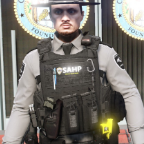
Switched up the textures for vest 7 setups 1 & 2 for Hanako's "EUP VEST&EARPIECE 1.1".


Short Description

San Andreas Highway Patrol Texture / Blaine County Sheriffs Officer / BCSO & SAHP

User Feedback

Recommended Comments

WooTechh

Members

Man, do you know why my vest 7 doesn't work? Well the vest you used for this texturepack.

cainetopping

Members Author

I'm sorry I can only help with installing the textures. Maybe try looking up a video and make sure you haven't installed a different vest files that replaces the one Hanako vest. 7.

WooTechh

Members

No, all the files are there. I am not the only one with this problem, but nobody knows how to solve it yet. Even Hanako himself does not answer people

WooTechh

Members

I just tried to move the vest to the mp clothes folder and it worked


What A Big Man

Members

In my opinion you could make/use some different patches... Mostly just a embroided background, with normal text and copy-paste patches.

Cyanotic

Members

Do the vests these are for actually fit anyone properly? They seem to have a lot of shoulder room 

MugMonster

Members

does nothing but crash your game. dont waste your time with this


Legendlife108

Members

whats hanako modifications discord

MadMaks

Members

(edited)

I don't like your BCSO texture, but SAHP texture is good 👍

Edited by MaksimHand

Create an account or sign in to comment

Account

Navigation

Search

Search

Configure browser push notifications

Chrome (Android)
  1. Tap the lock icon next to the address bar.
  2. Tap Permissions → Notifications.
  3. Adjust your preference.
Chrome (Desktop)
  1. Click the padlock icon in the address bar.
  2. Select Site settings.
  3. Find Notifications and adjust your preference.










