Skip to content
View in the app

A better way to browse. Learn more.

LCPDFR.com

A full-screen app on your home screen with push notifications, badges and more.

To install this app on iOS and iPadOS
  1. Tap the Share icon in Safari
  2. Scroll the menu and tap Add to Home Screen.
  3. Tap Add in the top-right corner.
To install this app on Android
  1. Tap the 3-dot menu (⋮) in the top-right corner of the browser.
  2. Tap Add to Home screen or Install app.
  3. Confirm by tapping Install.
Due to overzealous filtering on Microsoft’s side, some emails to Outlook and Hotmail addresses may not be delivered. If you’re affected, please use a different email address or try again later.
10 files
  1. Search your FivePD database with ease
    • 262 Downloads
    • 4588 Views
    • 6.01 kB File Size
    Updated
    • 196 Downloads
    • 5806 Views
    • 696 B File Size
    • 5 Comments
    Updated
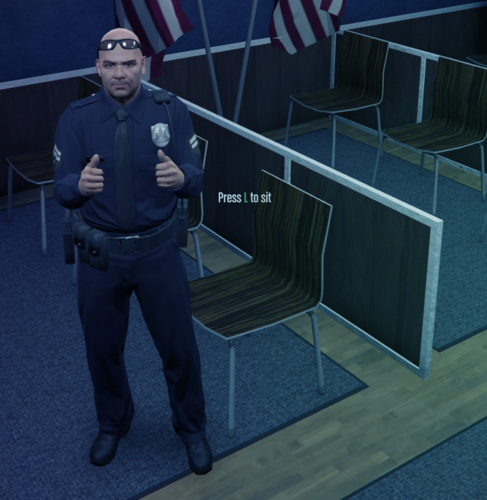
  2. A simple script for FiveM to help your players sit in chairs!
    • 1,497 Downloads
    • 14504 Views
    • 6.97 kB File Size
    • 2 Comments
    Updated
  3. A simple FIVEM bodycam script for players to increase their LEO RP realism.
    • 2,664 Downloads
    • 28529 Views
    • 336.48 kB File Size
    • 3 Comments
    Updated
    • 1,219 Downloads
    • 21587 Views
    • 8.71 kB File Size
    • 2 Comments
    Updated
    • 296 Downloads
    • 9647 Views
    • 1.69 kB File Size
    • 2 Comments
    Updated
    • 435 Downloads
    • 14336 Views
    • 13.87 kB File Size
    • 2 Comments
    Updated
    • 13,561 Downloads
    • 97851 Views
    • 40.16 kB File Size
    • 21 Comments
    Updated
  4. Control the DOT Message Board Trailer from Redneck Modifications without leaving your vehicle
    • 2,744 Downloads
    • 39155 Views
    • 14.46 kB File Size
    • 6 Comments
    Updated
  5. Discord script for chat
    • 934 Downloads
    • 12910 Views
    • 662 B File Size
    Submitted

Account

Navigation

Search

Search

Configure browser push notifications

Chrome (Android)
  1. Tap the lock icon next to the address bar.
  2. Tap Permissions → Notifications.
  3. Adjust your preference.
Chrome (Desktop)
  1. Click the padlock icon in the address bar.
  2. Select Site settings.
  3. Find Notifications and adjust your preference.