


DLer
Members
-
Joined
-
Last visited
Everything posted by DLer
-
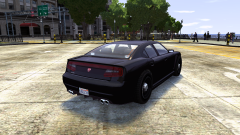 Interesting, the wheels look like they're sticking out on the passenger side, and not on the drivers. I wonder, can we do GTA V police steel wheels? And YOU ARE AWESOME.
 -
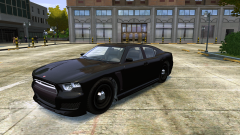 HOLY MOLY!!! Those wheels/tires could fill the gaps a bit better though, larger/wider.
 -
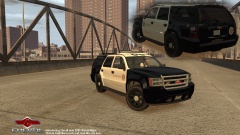 Wow! Nice job...but isn't this based off a Declasse? Shouldn't it be something related? I'm not gonna complain though. So long as we can have a non-els?
 -
-
-
Hey bud, noticed a glitch with the rear suspension. Take it off a jump, and the rear trailing arms and subframe drop down as if there was nothing attached. Aside from this, amazing stuff!
- 12 comments
- 3 reviews
-
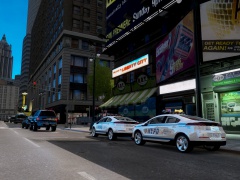 Anyone out there making an LCPD version of the Cheval Surge?
 -
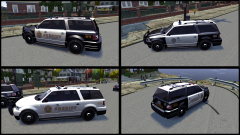 *HEAD EXPLODES* - My new NOOSE default!!
 -
-
AMAZING! Now, how about a GTA V lightbar? Take the one off the Sherriff Granger
- 15 comments
- 5 reviews
-
-
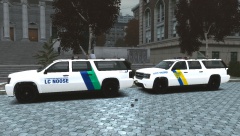 Looks like Abraxas' source files. Looks good!
 -
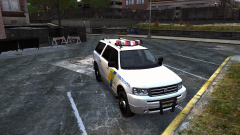 Is there a way to get that front grille updated too? And the rear license plate area to match up with Lt Caines?
 -
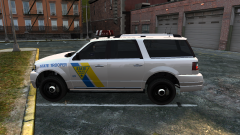 NICE! Looking forward to this. This will have the same template as the one I have been using?
 -
The taxi is already created: http://www.gta4-mods.com/vehicles/gta-v-2nd-gen-vapid-as-lcc-taxi-f25532
- 17 comments
- 2 reviews
-
-
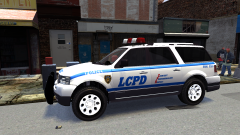 Vanilla because vanilla
 -
-
-
^ non-els, y0!
-
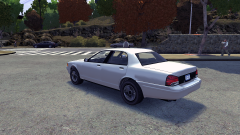 Cool! Can you get that Vapid badge back on the trunk? Keep at it! I would also suggest the wheels off the Washington, they're a bit better suited.
 -
Thanks guys. The hardest part was getting the dirt texture correct! I did not realize I could put it in a sign_1 field to see it via OpenIV, so I was testing in game! Note to you modders out there...
- 3 comments
- 2 reviews
-
-
-
QUICK NOTE - In order to get the LCPD liveries working correctly, go into the carcols.dat and replace as shown:
- 2 comments
- 2 reviews


