


Sheepish2
Members
-
Joined
-
Last visited
Everything posted by Sheepish2
-
damn! my bad i thought there was a I LOL Sorry Mate!
-
Double Doppler Created A Very Amazing Siren! Here You Go! Link: https://www.youtube.com/watch?v=QtqOauaDTbI
-
You can! you will have to do it through that Diag Tool Located in the main LCPDFR folder in your gta iv directory!
-
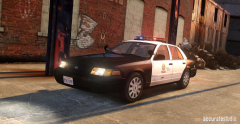 what ENB is that?
 -
Yes it normal for GTA IV to crash because its a Mod not officially apart of the Rockstar Games Grand Theft Auto IV Game.
-
this is a problem with your vehicles polygon count! Please Refer to this table to find out if the vehicle is stable or not. Polygon Count Table. best to find some lower polygon vehicles. To find out the current polygon count on your vehicles it will be located in the top left corner when viewing a car in OPENIV Thumbs up if this post has helped you
-
it was most probably your VEHICLES. Please refer to this table for details on polygon's and how stable your game would be. Polygon Table If your game does work with low polygon vehicles please thumb up this post
-
this is a problem with your car models. you've probably ran out of memory and or the Polygon count on your cruisers are too high Thumbs up this post if its right!
-
There is two reason for this Your LCPD:FR Modification has a problem with its coding (No coding calling for the file) Your Audio Files from LCPDFR aren't there inside your LCPDFR folder.Try downloading another copy of LCPDFR and please post your LCPDFR.log file so we can have a look at it and see if we can find any problems. Also - Open your LCPD:FR config.exe (I forgot what its called but its located in the LCPDFR Folder in the main Directory) and see if there is an option to enable/disable sounds. If its not that it could possibly be your 'All Text Mode' That is another option too! Good Luck and if it works Thumb ups just so i know it works
-
whoa XD thanks
-
Whats that second bookmark?
-
If anyone hasn't released but there is a Countdown Timer to something? Got Thoughts? For me I think that its for LSPDFR. If it is Friday's the day for it to get released! Can't Wait!
-
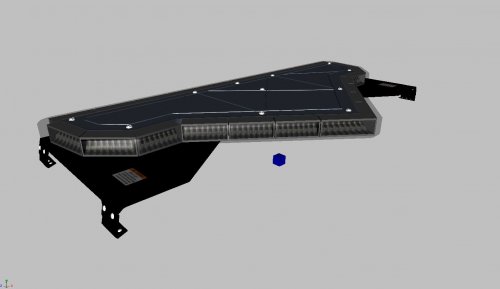 Great Work!
 -
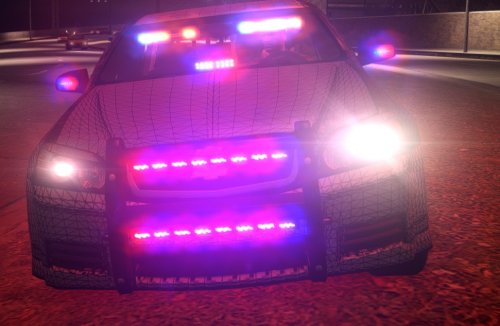 I like how you've used the caprice and you have done a fantastic job but when you think about it in real life unless its like a highway vehicle they dont have alot of lights on it. But if i were to rate it it is definitely 11/10 IGN (HAHAHAHA) but you have done a fantastic job on this car.
- 8 comments
- 4 reviews
-
I like how you've used the caprice and you have done a fantastic job but when you think about it in real life unless its like a highway vehicle they dont have alot of lights on it. But if i were to rate it it is definitely 11/10 IGN (HAHAHAHA) but you have done a fantastic job on this car.
- 8 comments
- 4 reviews
-
-

- 1
-
-
 To be honest.. You have made a really great pack that not only has good textures, great cars etc. you have put how much ever time you have into this car pack and not alot of people do this sort of thing. You have worked hard, gracefully and you didn't give up on doing this. I don't usually right this sort of stuff but given the fact that its 213 mb you have worked your a*s off to do this pack.. Congratulations on your fine work and good luck in the future
- 62 comments
- 26 reviews
-
-
- 1
-
-
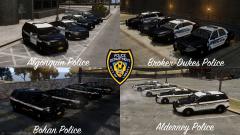 still bro
 -
The Skins are CODE ZERO Textures. Only they can upload them. But the car pack looks nice!
-
thankyou
-
Hey guys, As some of you know, I went off the forums because of school and of being in a clan.... It gets to you for sure. To the problem! When im in game and im using LCDPFR 1.0D and higher LCPDFR dosent show the normal text when playing. It looks like a broken part of the code but when I start LCPDFR it shows the following message LCPDFR STARTED and when I start pulling some over it says PULLOVER START I was wondering if anyone could help me with this one given the fact that i've just recently updated to 1.0C from .95 (Yes i know LCPDFR .95 is nothing anymore but it would be the most stable of them all :/) Thanks guys, Sheepish2
-
Great Work on 1.1 but the only problem is that when in multiplayer it is even more unstable :/
-
Can you make a Android version please
-
thanks but thats not the one i sorta want something like that high of pitch
-
Hey guys! Its been a very long time since i've been on LCPDFR but I was wondering if i could get some links or a siren made for me! Its a LTS Siren and I would like to have it exactly like this one.
-
sorry that was what i meant


