


efjk
Members
-
Joined
-
Last visited
Everything posted by efjk
-
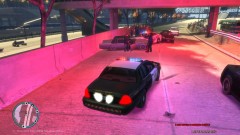
From the album: High Speed Chases In The City
Reckless and careless. Lucky no one was hurt today. Thanks to backup that we were able to catch the drunk. -
A photo gallery of high speed chases throughout Liberty City. Interesting vantage points of a lot of action. All images have a story to tell.
-
I love how people ask if someone has permission to upload....lol. Good skin dude!
- 3 comments
- 1 review
-
-
-
-
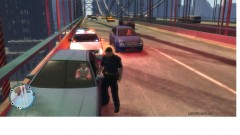
From the album: High Speed Chases In The City
All peaceful in LC today or was it? -
-
Noted. Maybe textures not loading properly may have been my issue not sure. Glad things are back to normal for me
-
My advice is it might be the police car. I had an issue when I installed a particular police car vehicle mod. when i entered the game after installed car the game crashed when i tried to spawn it. I uninstalled that police car and everything was fine (no crash). I had other minor issues with other car mods, but that one was the worst.
-
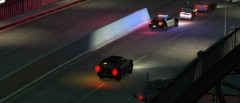
From the album: High Speed Chases In The City
Desperate dudes fleeing from the cops in a wild crazy ride. Guess what happens next. -
Not sure what your saying. I have an above average PC and ELS 7 seems to work fine for me (better than ELS 6 by far). Some people go wild on installing many car mods which as you know weighs down your PC performance, especially if you have a PC like me or worse. And that contributes to game crashes also. Every persons game issue is a little different from the next. All you can do is troubleshoot until you figure it out i guess.
-
All I know is that ELS 7 is much more stable than ELS 6. For those that are having issues after 10-15 mins with ELS 7, I recommend you uninstall mods and re-install all mods starting with LCPDFR. Or just stick with ELS 6 if that works for you better.
-
-
Actually you can activate all lights (primary, secondary, warning lights) with a press of function key plus "j". This will activate your lights going backwards order.
-
-
Your PC looks ok. If you say you only have LCPDFR and a few modded police cars in game. It might be your save game file? Have you played LCPDFR and than after saved game? This could cause your game to reject you. if you have another save file slot you can load from try doing so. Also, i think someone already suggested this but try uninstalling ELS 6 and than install ELS 7 fresh.
-
-
Are you getting error after your game crashes? I would one by one uninstall each mod you have and each time try restarting game and playing with ELS7. Are you using Traffic Flow? (for me Traffic Flow Mod was causing texture issues. I found Traffic Load Mod worked for me). If ELS6 worked for you maybe stick with it....
-
What is your PC specs? What other mods do you have installed? Have you used/installed previous ELS versions? Do you have LCPDFR installed?
-
-
-
-
For those people that what more realism should know that somethings need to remain in the real world. All im saying is leaving some elements out of a video game to preserve the fun factor is important. The ELS 7 developers should be saluted for there innovation and hard work. Keep the good work up guys!

