Skip to content
View in the app

A better way to browse. Learn more.

LCPDFR.com

A full-screen app on your home screen with push notifications, badges and more.

To install this app on iOS and iPadOS
  1. Tap the Share icon in Safari
  2. Scroll the menu and tap Add to Home Screen.
  3. Tap Add in the top-right corner.
To install this app on Android
  1. Tap the 3-dot menu (⋮) in the top-right corner of the browser.
  2. Tap Add to Home screen or Install app.
  3. Confirm by tapping Install.

tambola13

Members
  • Joined

  • Last visited

Files posted by tambola13

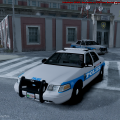
  1. China Grove PD CVPI

    V1.0,

    Useable with MOST 2011 CVPI

    Hope You Like IT!
    • 45 Downloads
    • 4 Comments
    Submitted
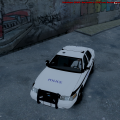
  2. Custom made CVPI skin,


    Can be used on any 2011 CVPI
    • 66 Downloads
    • 6 Comments
    Submitted
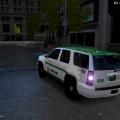
  3. 4 x Dubai Police Vehicles:
    Bearcat (S.W.A.T)
    CVPI (Rare ARV)
    Tahoe ( Traffic/Responce )
    Charger ( Traffic )


    Enjoy!!!


    MODEL DOWNLOADS
    I Used This pack for the Tahoe, Charger and CVPI


    And the Bearcat
    http://www.gta4-mods.com/vehicles/lenco-bearcat-els-f13942
    • 51 Downloads
    • 2 Comments
    Submitted
  4. This has been completed by me from a request!

    Model Included
    • 101 Downloads
    • 10 Comments
    Updated
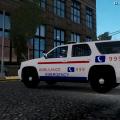
  5. I Have been wanting this for so long so i made it. : ))

    Police 1+2 And Paramedic And Fire Chief have all the same Model:

    Ambulance Type 2 Model:

    Ambulance Box Type Model: http://gtapolicemods.com/downloads.php?do=file&id=302

    (noose)Dodge Charger: http://www.lcpdfr.com/files/download/3820-2013-dodge-charger-san-francisco-police-department/

    Fire truck: http://www.lcpdfr.com/files/download/1890-fdlc-seagrave-marauder-2/

    Any DUBAI EMERGENCY VEHICLE REQUESTS???

    Enjoy.....................
    • 121 Downloads
    • 6 Comments
    Updated

Account

Navigation

Search

Search

Configure browser push notifications

Chrome (Android)
  1. Tap the lock icon next to the address bar.
  2. Tap Permissions → Notifications.
  3. Adjust your preference.
Chrome (Desktop)
  1. Click the padlock icon in the address bar.
  2. Select Site settings.
  3. Find Notifications and adjust your preference.