Code3Indy
Members
-
Joined
-
Last visited
Files posted by Code3Indy
-
About This File
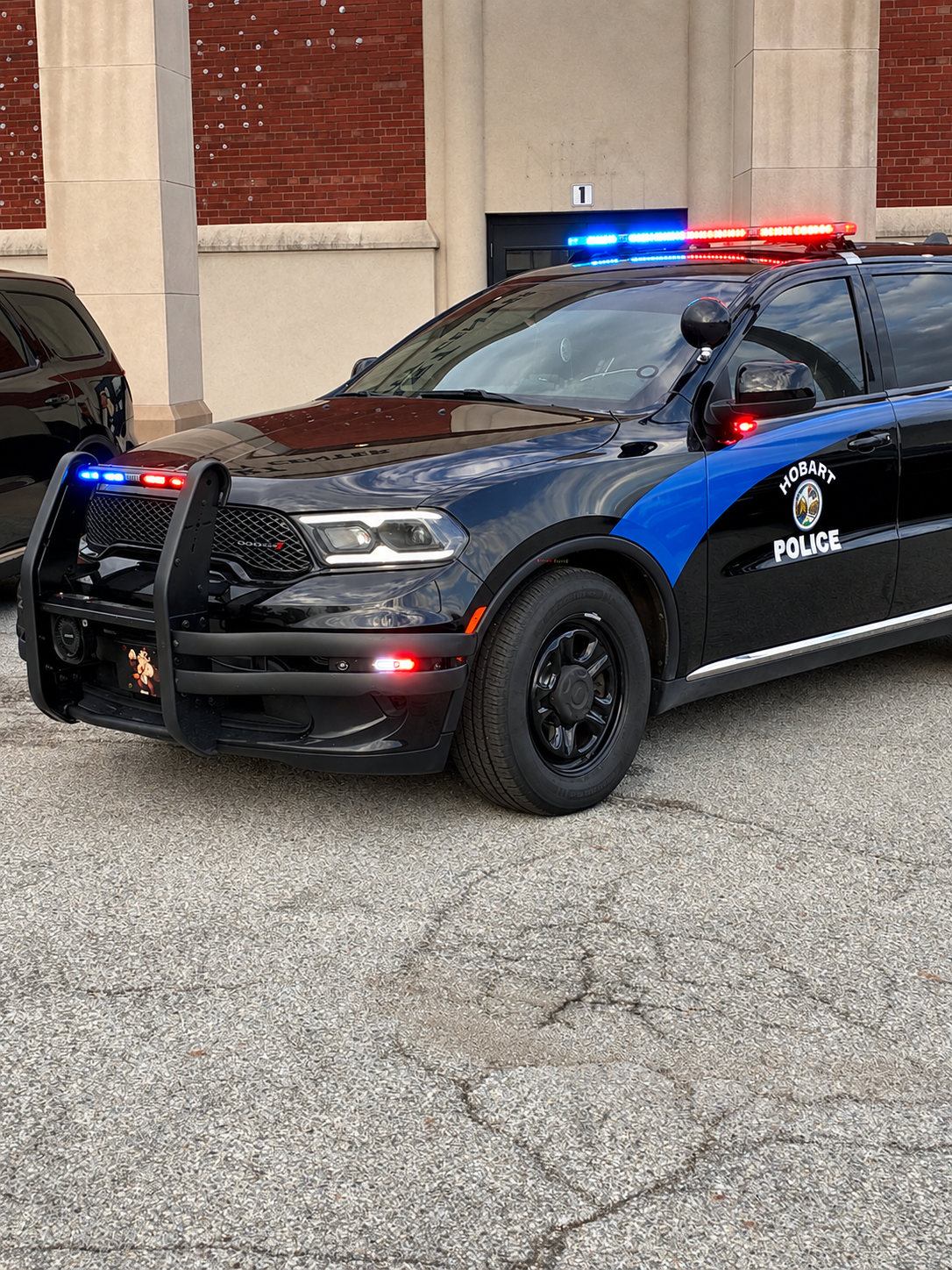
The Hobart Mega Pack is a collection of custom police vehicle liveries based on the City of Hobart, Indiana. This pack was originally created several months ago and is now being released for the LSPDFR community.
The pack includes a variety of Hobart-inspired liveries across multiple vehicle models, giving you plenty of options for building a realistic Hobart Police Department fleet.
Included Vehicles
3× Ram 1500 — 3 different livery variants
4× Dodge Charger — 2 liveries for the 2018 Charger and 2 for the 2014 Charger
1× 2010 Dodge Charger
2× Dodge Durango — 2 different livery variants
1× Police Motorcycle
And more vehicles/liveries — ETC.
Features
Custom Hobart Police liveries
Multiple vehicle variants and liveries
Indiana-inspired police styling
Designed for LSPDFR
Realistic department markings and vehicle designs
Variety of patrol and specialty vehicles
Whether you're building a full Hobart Police fleet or simply looking for some new Indiana-inspired liveries, this pack gives you a wide selection of vehicles to use throughout your LSPDFR gameplay.
Please note: This is a livery pack. Vehicle models may need to be downloaded separately unless otherwise specified.- 22 Downloads
- 2 Comments
Updated