.jpg.629f05a895c7bdb195117df762872d72.jpg)
n1olaev
Members
-
Joined
-
Last visited
Files posted by n1olaev
-
Полный перевод плагина Ultimate Backup на русский язык. При переводе не использовалось ИИ и перевод выполнен практически полностью вручную. Все слова и переводы подбирались максимально точно и достоверно, чтобы текст не обрывался и не выходил за рамки.
важно: я в курсе, что некоторые строки и диалоги не подходят по длине и обрываются. это находится в процессе доработки !- 320 Downloads
Updated -
[RU] Описание
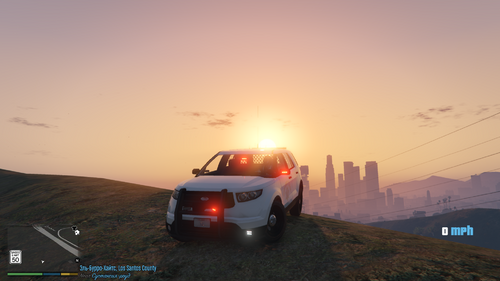
Простой плагин, который делает управление спецсигналами автомобиля намного удобнее. Он работает практически с любым non-ELS автомобилем и не требует дополнительных .xml конфигов. Теперь вы можете на разные кнопки менять режимы сирены (Wail/Yelp/Priority), отдельно включать или выключать световые сигналы и использовать звуковой сигнал на клавишу Е без принудительной активации света.
Основные возможности:
Раздельное управление: Включайте проблесковые маячки без звукового сопровождения.
Три тона сирены: Быстрое переключение между основными режимами.
Исправленный сигнал: Клавиша "E" теперь не сбрасывает и не меняет режим освещения.
Полная кастомизация: Все клавиши настраиваются в файле .ini.
Управление (по умолчанию):
1 — Wail (Первый тон)
2 — Yelp (Второй тон)
3 — Priority (Третий тон)
E — Сигнал
I — Проблесковые маячки (Вкл/Выкл)
J — Сирена + Маячки
[EN] Description
A lightweight plugin designed to make emergency vehicle signaling much more intuitive. It is compatible with almost any non-ELS vehicle and requires zero additional .xml configurations. Now you can switch between siren stages (Wail/Yelp/Priority) using dedicated keys, toggle emergency lights independently, and use the Air Horn on the "E" key without forcing the lights on.
Key Features:
Independent Control: Toggle your lightbar without any siren sound.
Three Siren Stages: Quick access to various tones with single keypresses.
Fixed Air Horn: The "E" key no longer resets or interferes with your current light stage.
Customizable: All keybinds can be reconfigured in the .ini file.
Default Controls:
1 — Wail (1 tone)
2 — Yelp (2 tone)
3 — Priority (3 tone)
E — Air Horn
I — Emergency Lights (On/Off)
J — Lights + Sound
- 356 Downloads
- 5 Comments
Updated
.thumb.png.56e2414a23fde2655d567dc48e150bdd.png)
.thumb.jpg.5abaa198f3b057f9626a93842e7262af.jpg)