Skip to content
View in the app

A better way to browse. Learn more.

LCPDFR.com

A full-screen app on your home screen with push notifications, badges and more.

To install this app on iOS and iPadOS
  1. Tap the Share icon in Safari
  2. Scroll the menu and tap Add to Home Screen.
  3. Tap Add in the top-right corner.
To install this app on Android
  1. Tap the 3-dot menu (⋮) in the top-right corner of the browser.
  2. Tap Add to Home screen or Install app.
  3. Confirm by tapping Install.

J T

Members
  • Joined

  • Last visited

Everything posted by J T

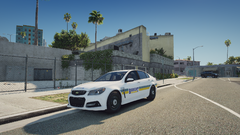
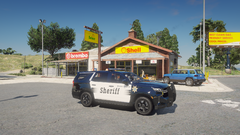
  1. J T posted a gallery image in GTA V Galleries
  2. J T posted a gallery image in GTA V Galleries
  3. J T posted a gallery image in GTA V Galleries
  4. J T posted a gallery image in GTA V Galleries
  5. just looks weird that way
  6. the red is suppose to be on the left and blue on the right...you got them switched up
  7. is there a red and blue version?
  8. J T posted a gallery image in GTA V Galleries
  9. J T posted a gallery image in GTA V Galleries
  10. why is there a covid call out? just want normal ones that havent been done before and the covid thing is a psyop anyway its not real
  11. J T posted a gallery image in Random Galleries
  12. J T posted a gallery image in Random Galleries
  13. can you make the name appear automatically for the warrant call out like how it does during a traffic stop? sometimes its hard to see the letters and also would be nice to have predetermined fine amounts like in 0.3 and lcpdfr, being controller friendly would be very nice
  14. J T posted a gallery image in Random Galleries
  15. J T posted a gallery image in GTA V Galleries
  16. J T posted a gallery image in GTA V Galleries
  17. yeah but there isnt a lot of dls vehicles right now so thats why i suggested els, more options never hurt

Account

Navigation

Search

Search

Configure browser push notifications

Chrome (Android)
  1. Tap the lock icon next to the address bar.
  2. Tap Permissions → Notifications.
  3. Adjust your preference.
Chrome (Desktop)
  1. Click the padlock icon in the address bar.
  2. Select Site settings.
  3. Find Notifications and adjust your preference.