




J T
Members
-
Joined
-
Last visited
Everything posted by J T
-
-
-
-
-
-
-
-
-
-
-
-
-
-
-
 well those 1600 probably don't have a drivers license and never stood next to a Tahoe or utility for that matter yes I have stood next to a tahoe because my uncle owns one and parked it next to my truck for family gatherings its a normal sized vehicle...not as short as a utility though
- 955 comments
- 158 reviews
-
the Tahoe is NOT a huge vehicle in real life and neither is the utility unless you are 3 foot tall so im not sure what YOU are smoking
- 955 comments
- 158 reviews
-
bingo....I will not be using them until they are scaled...if he wants to that would be great if not well ill just wont use them
- 955 comments
- 158 reviews
-
that does not make any sense what so ever they are huge...go stand next to a Tahoe and utility
- 955 comments
- 158 reviews
-
-

- 1
-
-
really cool pack I like the cars....but...the Tahoe and the utility are way to big compared to the real life counterparts, if these were scaled down then I would definitely use them but until then I wont use those vehicles other then that the cars look great
- 955 comments
- 158 reviews
-
-
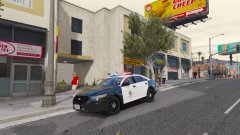 my other pictures im using project reload but this picture I was using vision v
 -
-
-
-



