
Shekure
Members
-
Joined
-
Last visited
Everything posted by Shekure
-
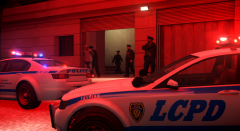 Well, the huge dinosaur was missing, but we put that down to the shootout there in 2008...
 -
Thanks!
-
From the album: LCPD Action Shots
Several Officers from Middle Park arrest a suspect in the LIbertonian after several exhibit alarms were activated. -
No problem, glad to help!
-
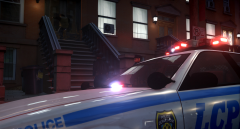
From the album: LCPD Action Shots
Police in Berchem undertake some peacekeeping after reports of a domestic disturbance at a town house on Babbage Drive. -
As far as I'm aware, the animations fall under "amb@nightclub ext". You'll find both animations there.
-
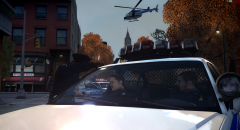 Hm. I guess I have that British Police mentality, if you struggle to find them on the ground, call in the air unit.
 -
From the album: LCPD Action Shots
Units in Rotterdam Hill coordinate the search for a suspect after vandalising a car, and in order to find him quickly, teamwork is key. -
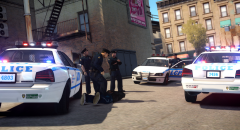
From the album: LCPD Action Shots
A police transporter arrives to drive a drug dealing suspect to the nearby station. -
You don't need OpenIV for this. In order to edit these files, you need to find handling.dat and vehicles.ide in "common>data" and open them with Notepad. You can find an explained handling line guide here: http://www.gtagaming.com/forums/showthread.php?t=118800 To add the "+livery" to vehicles, open vehicles.ide and find the vehicle you want, go to the "flags" section (right at the end of the line) and add "+livery" on the end. Then, go to you "trainer.ini", press F3, search "livery" and change "vehiclelivery" to "=0". This allows you to change liveries in the trainer menu.
-
Siren 1 sounds very much like a Whelen Alpha 295. I'm pretty sure there's one like that here somewhere...
-
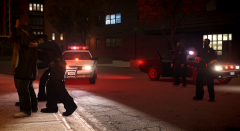
From the album: LCPD Action Shots
Police manage to find two suspects in a housing estate car park believed to be involved in an earlier shooting. As a result, the officers take extra caution. -
 No, I saw it somewhere but I really cannot remember where.
 -
Once again, glad to help!
-
Ich denke, dass es eine Diskussion über dieses Problem gibt. Hier ist es: '?do=embed' frameborder='0' data-embedContent>> Wenn ich dieses Problem hatte, lud ich diese herunter: http://www.microsoft.com/en-us/download/details.aspx?id=35(Es ist in der oberhalb Diskussion) Ich hoffe, dass ich dich geholfen habe. (Es tut mir leid, wenn mein Deutsch nicht so gut ist, da ich Englisch bin).
-
Adding a second texture to a head is simple. All you need to do is import the texture into OpenIV and rename it to the name for the head. For example: if the head was "head_diff_001_a_whi", you should name the new texture "head_diff_001_b_whi".
-
I'm quite an old school guy when it comes to sirens. I like most met sirens prior to about 2006 (Stirling Siren, Premier Hazard). Modern day wise, it has to be either the Touchmaster Delta or the Whelen Alpha.
-
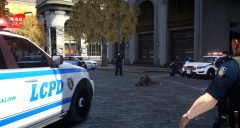
From the album: LCPD Action Shots
Amsterdam Lane lays silent after the shooting of a shotgun wielding man who attempted to shoot open ATMs outside the local bank branch. -
Glad we could help you!
-
Ok, here is one of the entries that I have: gtaDrawable head_000_u { shadinggroup { Shaders 2 { gta_ped.sps head_diff_000_a_UNI head_normal_000 35.00000000 0.20000000 1.00000000;0.00000000;0.00000000 head_spec_000 1.00000000 gta_default.sps head_diff_000_a_UNI } } skel { skel m_y_swatm_y_swat.skel } lodgroup { high 1 m_y_swathead_000_u_high.mesh 0 9999.00000000 med 1 m_y_swathead_000_u_med.mesh 0 9999.00000000 low none 9999.00000000 vlow none 9999.00000000 center -0.00211000 0.02600300 0.13527500 AABBMin -0.60171400 -0.07030900 -0.17783100 AABBMax 0.59790100 0.16044700 0.80799300 radius 0.67349100 } }
-
It's OK. Don't worry.
-
Check the file you modified and make sure that all instances of the head lines with ".skel" are "m_y_swat.skel" and spelled correctly.
-
I mean extract the texture files normally. Just extract the .wdd to openFormats. Should have cleared that up. Yes, you need to remove either "UNI" or "bla". The two are entirely different textures.
-
OK, I have managed to get the model redone. It is attached. Here is the process I followed: 1. Make a copy of vanilla files AND the textures and extract them to open formats. Do the same for the mod. rename the mod files "m_y_swat". Make sure the vanilla and mod files are in SEPARATE folders to prevent confusion. 2. Open the mod's .odd file (The notepad one) and the vanilla one (Make sure you know which is which). 3. Copy and paste the "head" lines from the vanilla file to the mod one. 4. Import the vanilla .MESH files from the vanilla "m_y_swat" folder to the mod one. 4. Save and close. 5. Import the updated mod file through open formats. 6. Import ALL textures related to the heads of the swat officers you saved earlier. Delete the old head textures. 7. Check the model in Open IV. If you encounter any problems or are unsure, reply and I'll try to help!
-
Ok thank you, just making sure.