


TUNES
Members
-
Joined
-
Last visited
Everything posted by TUNES
-
![[WIP] Ford E-450 Ambulance](//s3-gallery.int-cdn.lcpdfrusercontent.com/gallery/album_1565/sml_gallery_65185_1565_40138.jpg)
From the album: W.I.Ps
Added a StreetHawk, as suggested by FCV96, thank you for the idea :) Still to do: -Add 'Dem Quadraflares (that will be a pain in the shitter, so If anyone wants to do it for me, Please dont hesitate lol) -Do a version with a Whelen Freedom -Do a vesion with a Fedsig Legend -Do a non ELS version -Take a nap Brought to you by SCNG Designs -
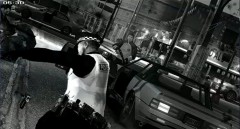 Gum man?
 -
-
![[WIP] Ford E-450 Ambulance](//s3-gallery.int-cdn.lcpdfrusercontent.com/gallery/album_1565/sml_gallery_65185_1565_78590.jpg) Lol that would look epic! nice choice :)
Lol that would look epic! nice choice :) -
What is the problem? I cant see any
-
From the album: W.I.Ps
Posted an image here because I wanted to ask you guys, aside from the Quadraflares, which lightbar would look nice on that ambulance? Model by Kinksta100 Skin by me **And special thanks to Corleone for providing me with his roof. -
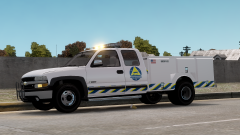 I see you changed the front bumber, now it looks even better. Great work!
 -
Its all about the cash.
-
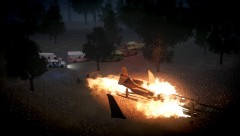 Yeah, lol, but the screenshot was taken after the aiplane was already evacuated. Later on, flames engulfed the plane, as you can see.
 -
Thanks!
-
Lol the 'Muricans take the design from the Aussies and rebrand them as Chevrolet/Pontiac
-
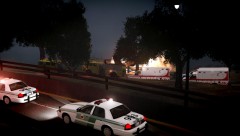
From the album: Random
-
From the album: Random
Just as the sun was rising above Liberty, the Francis International Airport fire brigade got a 998 call stating that there has been an airplane crash just 500 meters north of the Airport. Within minutes fire and medical personnel were already at scene, taking action towards the situation. The airplane was Identified as a Fly US regional jet, bound to Vice City. 13 passengers, out of the 14 that were on-board flight 266 managed to escape the inferno. The 14th, being the co-pilot, could not make it because of sustaining serious head injury resulting from the harsh impact. A brief interview with the pilot showed that due to the Thunderstorm, the plane was hit by a lightning strike, which caused system failure. The pilot's actions were said to be heroic, as he successfully managed to glide the aircraft safely into the shoreline. -
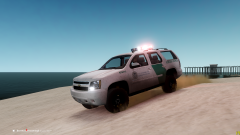 Lol, Nice Tahoe you have there, Whelen Edge, right?
 -
You mean U.S.B.P?
-
![[REL] Florida Highway Patrol CVPI "Older Style"](//s3-gallery.int-cdn.lcpdfrusercontent.com/gallery/album_1914/sml_gallery_3938_1914_453908.jpg) Loving that setup!
Loving that setup! -
I know Compeast will like this lol
-
I was really surprised to see an old Caprice in Germany!
-
When you see the caprice in the background, tell me.
-
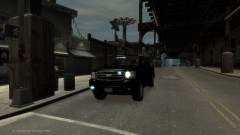 Looks nice :) which grill lights did you use for this?
 -
Crown Victorias with MX-7000s turn me on. This is becoming a worrying problem.
-
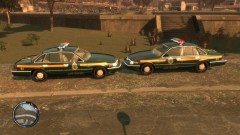 Can I have a liter-o-cola?
 -
Ok, so If any moderator thinks its better to delete this thread, go ahead :)
-
Hmm, would it be a problem to have a new one or is it better if I head to the other thread?
-
The title says it all. Post a picture of your daily driver. Heres mine, its a 2011 Ford Crown Vic. (sorry for the low quality pic, as I took this from my crappy mobile camera) It has got 68K Km on it.

![[WIP] Ford E-450 Ambulance](http://s3-gallery.int-cdn.lcpdfrusercontent.com/gallery/album_1565/sml_gallery_65185_1565_40138.jpg)

![[WIP] Ford E-450 Ambulance](http://s3-gallery.int-cdn.lcpdfrusercontent.com/gallery/album_1565/sml_gallery_65185_1565_78590.jpg)
![[REL] Florida Highway Patrol CVPI "Older Style"](http://s3-gallery.int-cdn.lcpdfrusercontent.com/gallery/album_1914/sml_gallery_3938_1914_453908.jpg)
