Skip to content
View in the app

A better way to browse. Learn more.

LCPDFR.com

A full-screen app on your home screen with push notifications, badges and more.

To install this app on iOS and iPadOS
  1. Tap the Share icon in Safari
  2. Scroll the menu and tap Add to Home Screen.
  3. Tap Add in the top-right corner.
To install this app on Android
  1. Tap the 3-dot menu (⋮) in the top-right corner of the browser.
  2. Tap Add to Home screen or Install app.
  3. Confirm by tapping Install.

wwwivlol

Members
  • Joined

  • Last visited

Files posted by wwwivlol

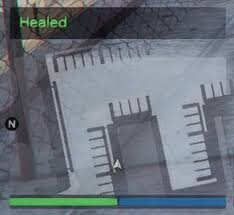
  1. This is a really simple heal script for your fiveM server
    • 22 Downloads
    Updated
  2. kix_zapstrike is a standalone FiveM script that lets admins summon powerful, visually striking lightning effects on command. Designed for realism and cinematic impact, it enhances roleplay events, god powers, or custom scenarios with a single, dramatic /zap command.
    ⚡ Features:
    Realistic lightning strikes at any location or player
    Command-based trigger: /zap [id] (targets player or ground)
    Fully standalone: No framework like ESX or QBCore required
    Optimized performance with minimal resource usage
    Admin-only access to prevent abuse
    • 317 Downloads
    Updated
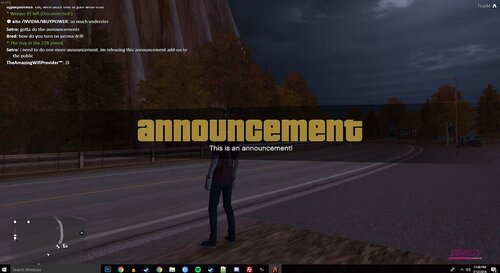
  3. An advanced announcement system for FiveM servers.  
    Send bold, styled messages to all players using a single command.
    Includes:
    • Chat announcement (/announce [msg])  
    • Large-screen cinematic title (GTA-style)  
    • Optional camera shake + screen flash  
    • Clean admin-only access  
    • Fully standalone and TXAdmin compatible  
    • Easy install + no dependencies
    Perfect for: Staff messages, server alerts, RP scenes, event broadcasts, and restarts.
     
    • 56 Downloads
    Updated
  4. About This Script – FiveM Weather Script
    ========================================
    Script Name: Weather Script  
    Created By: Kix  
    Version: 1.0.0  
    Framework: Standalone  
    • 298 Downloads
    Updated

Account

Navigation

Search

Search

Configure browser push notifications

Chrome (Android)
  1. Tap the lock icon next to the address bar.
  2. Tap Permissions → Notifications.
  3. Adjust your preference.
Chrome (Desktop)
  1. Click the padlock icon in the address bar.
  2. Select Site settings.
  3. Find Notifications and adjust your preference.