hwkiller78
Members
-
Joined
-
Last visited
Files posted by hwkiller78
-
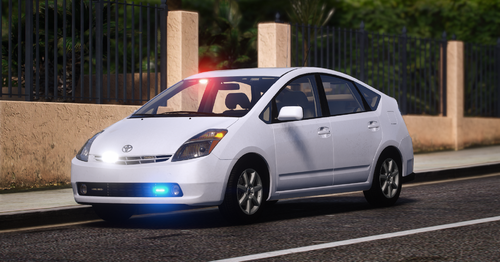
2008 Toyota Prius NZ Police UnMarked Fictional
------------------------------------------
Information:
Unmarked
-----------------
Extra-info:
Extra 1 - Slow Pattern
------------------------------------------
Please feel free to join my discord, for more NZ and AU based vehicles - https://discord.priority-projects.com/
Usual stuff, no ripping, reselling, re-uploading, credit where credit is due, have fun, and enjoy.- 99 Downloads
Updated -
This Hiace is built to the standards of your Classic NZ or AU worker.
It contains a few things special things
Optional Ladder Rack (extra 1) Monster Can in the Door Cones Rear rack Flare Box A GPS
If you require any support feel free to join our discord - https://discord.gg/tsCJjkVWEw
More images are included in the download but were to big to upload here.
This File is property of hwkiller78 in association with Mad Modifications,
This vehicle can not be ripped or unlocked in anyway.
This vehicle can not be rereleased in anyway.
Please give credit where credit is due.
Feel free to upload any textures you create for the vehicle but not the vehicle files itself, if you do upload textures I recommend you include a link to the original listing so people can download the vehicle files as well as your texture.
Note: You will need to Unzip this file and remove the 'tradiehiace' folder and place it in your servers 'resources' folder.
Happy Building!
- 843 Downloads
- 1 Comments
Updated