Skip to content
View in the app

A better way to browse. Learn more.

LCPDFR.com

A full-screen app on your home screen with push notifications, badges and more.

To install this app on iOS and iPadOS
  1. Tap the Share icon in Safari
  2. Scroll the menu and tap Add to Home Screen.
  3. Tap Add in the top-right corner.
To install this app on Android
  1. Tap the 3-dot menu (⋮) in the top-right corner of the browser.
  2. Tap Add to Home screen or Install app.
  3. Confirm by tapping Install.

Mr Matthews

Members
  • Joined

  • Last visited

Files posted by Mr Matthews

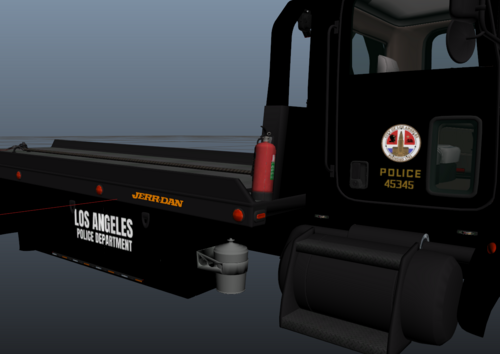
  1. In the photos above you can only see the rookie version of this livery however in the download there is a version with the normal LAPD logo aswell!
    (I DID NOT MAKE THE FLATBED MODEL, I JUST MADE THE LIVERYS, ALL CREDIT FOR THE FLATBED MODEL GOES TO @Officer Turbs)
    • 210 Downloads
    • 2 Comments
    Updated
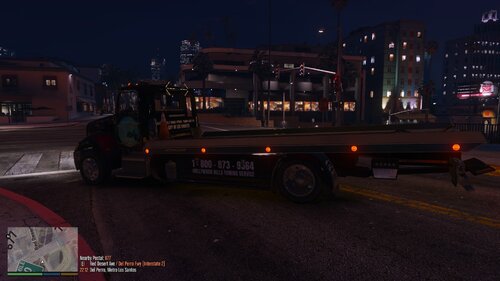
  2. These are two livery's that I made for the ELS Flatbed
    (I DID NOT MAKE THE FLATBED MODEL, I JUST MADE THE LIVERYS, ALL CREDIT FOR THE FLATBED MODEL GOES TO @Officer Turbs)
    There are two types of this livery's, a black one and a blue one!
    Download the ELS Flatbed here:
    ELS Flatbed
     
    • 42 Downloads
    Updated

Account

Navigation

Search

Search

Configure browser push notifications

Chrome (Android)
  1. Tap the lock icon next to the address bar.
  2. Tap Permissions → Notifications.
  3. Adjust your preference.
Chrome (Desktop)
  1. Click the padlock icon in the address bar.
  2. Select Site settings.
  3. Find Notifications and adjust your preference.