Ghost X1S
Members
-
Joined
-
Last visited
Files posted by Ghost X1S
-
Real Recoil / Weapon-Based Camera Shake – FiveM Client Script
Made by X1S
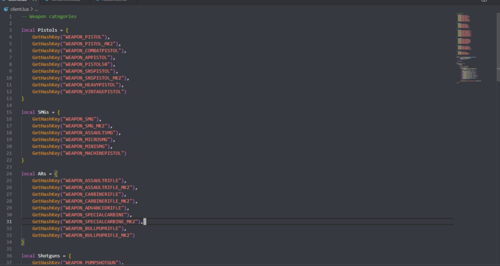
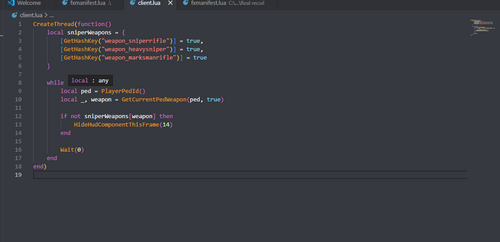
A FiveM client-side script that adds weapon-category–based camera shake for a more immersive shooting experience. Different weapon types (pistols, SMGs, assault rifles, shotguns, snipers, and LMGs) have unique shake intensities, giving a realistic feel to gunfire.
Features:
Weapon-category–based camera shake
Categories included: Pistols, SMGs, Assault Rifles, Shotguns, Snipers, LMGs
Single shake per shot (no stacking)
Lightweight and client-side only
Easy to extend with new weapons or categories
Notes:
Client-side only (no server load)
Visual effect only — does not alter recoil, damage, or gameplay
Designed to be easily configurable and extended
https://discord.gg/HqC2VU9zFG
AI helped make this. The frame of this was made with ai as this was one of my first scrpits and still learning.
-
ShadowShack Development presents: Enhanced YMAP for FiveM
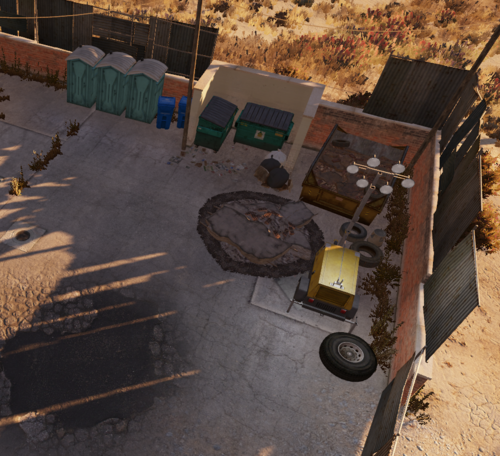
This YMAP brings new details and realism to the environment. We’ve added wood piles, trash piles, and other elements to the back area to create a more dynamic and lived-in feel. Over time, this location will evolve, becoming increasingly cluttered and weathered to reflect ongoing decay. Stay tuned for updates as we continue to enhance the atmosphere!
Installation Instructions
Download the YMAP resource from the provided link.
Extract the contents of the .zip file.
Place the folder into your server’s resources directory.
Add the following line to your server.cfg file:
ensure [folder_name]
Replace [folder_name] with the name of the extracted folder.
Restart your server, and the YMAP will be loaded into your FiveM environment.
Enjoy your improved and immersive experience!
- 6 Downloads
Updated