Crickethill
Members
-
Joined
-
Last visited
Files posted by Crickethill
-
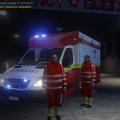
"Sinus Ambulance" is a unique, new, immersive design for kinksta100's "St. John Ambulance" model. The design is completely fictional but tries to blend into GTA IV's world as subtle as possible, being made with an eye on detail and immersion. The ambulance is meant to be part of Liberty City's Fire Department and features a custom plate as well as other little details like an AED decal. "Sinus Ambulance" is named after its main design element: A sinus rhythm on both sides of the ambulance.
Check out the release video with some gameplay footage of Mordecki's EMS MOD here:
Also check out kinksta100's channel for more of his awesome GTA IV vehicle mods here: http://www.youtube.com/user/kinksta100?feature=watch
kinksta100 kindly allowed me to release my "Sinus Ambulance" design with his model so you can download all in one.
I also included textures for all-red, all-blue and red-blue emergency lights so you have free choice about which settings you want to use.
- 1,146 Downloads
- 8 Comments
Updated