ForgedByGrace7
Members
-
Joined
-
Last visited
Files posted by ForgedByGrace7
-
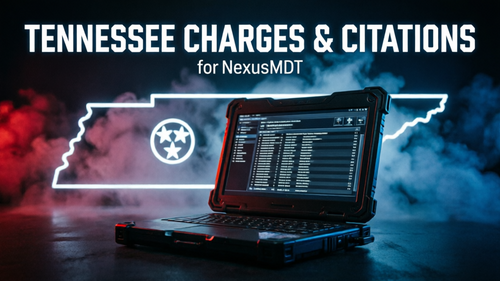
Tennessee Charges & Citations for NexusMDT
A Tennessee accurate charge and citation database for NexusMDT, built entirely on real Tennessee Code Annotated (TCA) statutes and verified current to 2026. Designed for believable, Tennessee flavored police roleplay and written so players who aren't real cops can still pick the right charge for the situation. Now with a Game Warden / Park Ranger set and a full Federal section for FBI-style units.
What's included:
- 236 charges (152 felony / 84 misdemeanor) — DUI, drugs, theft, assault, domestic, weapons, evading/resisting, burglary, robbery, plus the serious felonies that pursuits and shootouts produce.
- 98 citations — traffic, equipment, registration, licensing and wildlife violations with realistic Tennessee fine amounts, including a clean three-tier speeding ladder (1-14, 15-24, 25+ over).
- A Game Warden / Park Ranger set built on real TCA Title 70 wildlife and Title 69 boating statutes — poaching, big game in closed season, road hunting, license checks, reckless vessel/jet ski operation — each with its verified offense class.
- A Federal section (27 charges) for FBI, ATF, DEA, US Marshals and Secret Service roleplay — bank robbery, UFAP, 922(g), 924(c), drug trafficking, counterfeiting, aircraft piracy and more, all citing the real United States Code. Every federal entry is prefixed "Federal -" so typing Federal in the MDT search pulls up the whole list.
- A scenario guide that maps common calls (traffic stop, fleeing suspect, drugs found, fight, shooting, robbery vs. burglary, backcountry warden calls, federal task force work) to the exact charge and the keyword to search in the MDT.
- A README with install steps and accuracy notes.
How you know which one to use:
NexusMDT displays and searches the name of each entry, so the decision info is built right into the names — dollar ranges on theft/vandalism, drug schedules with the common drugs listed, on-foot vs. in-vehicle for evading, and the class suffix (FA–FE felony, MA/MB/MC misdemeanor, FF/FM federal felony/misdemeanor). Search a keyword and pick. The scenario guide covers the rest.
Includes recent Tennessee changes like drag racing now being a Class E felony (TCA 55-10-502), fentanyl folded into the Schedule II felony tiers, Organized Retail Crime (TCA 39-14-113), accurate handling of the catalytic-converter possession law (still a Class A misdemeanor under TCA 62-9-115), the 2021 burglary recodification (TCA 39-13-1002 through 1004), the 2024 felony upgrade for threats of mass violence at a school (TCA 39-16-517), and the mail theft statute (TCA 39-14-129). Wildlife offense classes are verified per statute, not guessed.
Installation:
1. Back up your current NexusMDT charges.xml and citations.xml.
2. Drop the included plugins folder into your GTA V root folder and replace when prompted.
3. Launch — the Tennessee list loads automatically.
Built for NexusMDT by JonjonLSPDFR — please support the original mod: https://www.patreon.com/cw/JonjonLSPDFR- 181 Downloads
- 2 Comments
Updated -
⚠️ IMPORTANT — READ FIRST
These files are configuration prompts for DoubleHook's NPCAI (NPCI 3.1), the Gemini-AI-powered version of NPCI available exclusively through his Patreon:
https://www.patreon.com/cw/Doublehook
These files DO NOT work with the free NPCI 2.1 hosted here on LCPDFR. That version uses Microsoft Speech Platform with scripted phrases and does not use AI prompt files. You must have NPCAI installed from DoubleHook's Patreon for these files to do anything.
Built and tested on NPCAI 3.1, which moved the config folder to plugins/LSPDFR/NPCI/ — if you're still on NPCAI 3.0, use version 1.0.0 of this pack instead.
Compatible with BOTH NPCAI variants — Policing Redefined and StopThePed — since they share the same NPCI folder.
────────────────────────────────────────
WHAT'S IN THIS PACK
Three files that drop into your NPCAI installation at:
Grand Theft Auto V/plugins/LSPDFR/NPCI/
- NPCI_EmergencyPrompt.txt — fully rebuilt first-responder prompt (254 lines): dispatch actions, Tennessee radio codes, a custom assigned-partner character, and an EMS overhaul
- NPCI_GeminiPrompt.txt — enhanced civilian NPC prompt (131 lines), deliberately compact so Gemini stays fast and consistent with per-ped context attached
- NPCI_VoiceStyles.ini — customized voice archetype file (48 archetypes with fully rewritten voice descriptions)
────────────────────────────────────────
WHAT THESE PROMPTS ADD
CIVILIAN PROMPT:
- Officer Factual Authority with bluff/witness nuance — NPCs accept what the officer directly witnessed but can deny or stay silent on things the officer is only fishing on
- Anti-loop rule — NPCs can't repeat the same excuse forever
- Gradual progression — denial → excuses → minimization → partial admit → fuller explanation, with different suspects cracking at different speeds (or never)
- Contraband logic — NPCs sometimes own their stash and sometimes deny it, and never confess to items before you've actually found them
- Traffic Stop Intelligence — varied realistic violations instead of defaulting to "speeding"
- Callout / Scene Awareness — NPCs silently pick a role (suspect / witness / victim / partially involved) and act like someone who was actually there
- Investigation & Scope — NPCs don't volunteer unrelated crimes, and react naturally to harmless or embarrassing personal items
- Full 3-part Vocal Anchor / Pitch Control — fixes the high-pitched whisper drift during violent arrests by banning the text patterns the TTS engine reads as pitch triggers (multi-exclamation, ALL CAPS, stuttering dashes, repeated pleading, fear-coded phrasing, crying onomatopoeia). NPCAI 3.1's stock prompt dropped pitch control entirely — this restores and expands it.
- Human Response Variation — "don't default to polite": annoyed, blunt, sarcastic, and hostile civilians exist, and demeanor hardens if your tone does
- Occupational & Environmental Awareness — NPCs adapt to whatever job or identity you give them and react to things happening around them instead of acting oblivious
- Age-Appropriate Speech — children, teens, adults, and elderly use distinct vocabulary and behavior
- No safety disclaimers — mentioning an injury or medical situation in roleplay won't trigger an immersion-breaking first-aid lecture
EMERGENCY PROMPT — first-responder roleplay (backup, deputies, troopers, medics, firefighters, rangers, and more):
- Dispatch actions — backup officers, deputies, and troopers can work the radio for you: request or clear backup, EMS, fire, wreckers, and transport units, and run plates (10-28) and people (10-27 / 10-29) through dispatch
- Authentic Tennessee radio codes — the whole prompt runs real Tennessee Highway Patrol 10-codes (10-47 send ambulance, 10-48 send wrecker, 10-38 request backup, 10-34 officer in trouble, 10-45/10-46 crashes, 10-99 pursuit) with an explicit ban list so Gemini stops drifting back into California habits — no more "Code 4" or "11-99." If you roleplay Southern style, your peds finally talk like it.
- Custom assigned-partner character — replaces the stock partner personality. Call any backup unit "partner" and he locks in for the whole shift: a Middle Tennessee Marine veteran (infantry → Recon → MARSOC Raider) who works patrol and holds a SWAT slot. Written as a true quiet professional — hard rules against "Semper Fi / oorah" spam and war stories; his background shows up as calm tactical reads on hot calls, not talk. Fully role-locked so ordinary backup, EMS, and fire never borrow his personality by accident.
- EMS overhaul — medics work the scene like medics: they ask YOU for the rundown, use real terminology (tachycardic, diaphoretic, altered LOC, hemorrhagic shock, RMA), pick the jurisdiction-correct hospital (Sandy Shores Medical for Blaine County calls), and follow a proper deceased-patient workflow — confirm it, offer to start the coroner, and only call it in after you say yes
- Dispatch guardrails — EMS and fire can't misfire calls for a second ambulance or engine, tow trucks, prisoner transports, or animal control
- Role lock from player address — "Hello Deputy," "Hey Ranger," "Hello Coroner," "Hey EMT" locks the NPC into that exact role for the conversation
- Full stay-in-your-lane rules for Deputy, Officer, Trooper, Ranger, Warden, Forensics/CSI, EMT, Medic, Coroner, Humane Officer, Gang Unit, and Arson Investigator
- Jurisdiction geography — LSPD/LSSD/SAHP/LSFD know their actual turf and don't claim wrong jurisdiction
- Rank & experience rolls per agency, with player-rank override
- Personality variety — calm veterans, tired night-shifters, eager rookies, dry firehouse humor — plus the same 3-part Vocal Anchor as the civilian prompt
VOICE STYLES:
- Fully rewritten voice descriptions across all 48 archetypes — lifestyle, subculture, rural, gang, occupation, and more — so different ped types actually sound like different people
All three files stay well under Gemini's prompt-length safe zone per DoubleHook's guidance.
────────────────────────────────────────
INSTALLATION
The archive uses the same folder structure as DoubleHook's NPCAI 3.1 install (Grand Theft Auto V/plugins/LSPDFR/NPCI/), so it just merges and overwrites.
1. Make sure NPCAI 3.1 is installed from DoubleHook's Patreon and working with your Gemini API key.
2. Open the archive and you'll see a "Grand Theft Auto V" folder inside.
3. Drag the plugins folder from the .rar into your GTA V root and let it merge / overwrite when prompted. The three prompt files inside NPCI will overwrite your existing ones.
4. (Optional but recommended) Back up your existing NPCI_GeminiPrompt.txt, NPCI_EmergencyPrompt.txt, and NPCI_VoiceStyles.ini first so you can roll back if you don't like the changes.
Note for users of my previous 1.0.0 pack: those files lived in the old NPCIXML folder — NPCAI 3.1 reads from NPCI now, so this pack installs to the new location.
────────────────────────────────────────
AI DISCLOSURE
These prompts were drafted and iterated with assistance from Anthropic's Claude AI across multiple sessions, then reviewed, tested, and finalized by me before release. See the AI Disclosure section below.
────────────────────────────────────────
CREDITS
- DoubleHook — creator of NPCI / NPCAI. None of this exists without him. Support his work: https://www.patreon.com/cw/Doublehook
- BlueLineVibes — his published prompts and videos informed the dispatch actions and EMS approach in this update (https://www.patreon.com/cw/bluelinevibes)
- Community contributors — several community members whose published prompt variants informed specific improvements (bluff/witness nuance, anti-loop rule, demeanor variation, EMS terminology)
- Anthropic's Claude — AI assistance during drafting and refinement (see AI Disclosure)- 3,370 Downloads
- 2 Comments
Updated -
Secretary of War Simulator: Operation Southern Spear is a wave-based combat mod that puts you in command of helicopter strike operations against narco-terrorist vessels.
What Is This?
This is a satirical action mod inspired by recent political memes and headlines. It's meant to be funny, over-the-top, and entertaining - nothing more, nothing less. If you're easily offended by video game humor or political satire, this probably isn't for you. Save us both time and skip it.
Core Features
Combat System:
Wave-based gameplay with progressive difficulty
Multiple helicopter options (Hunter, Buzzard, Savage, Annihilator)
AI-controlled hostile boats with evasive maneuvers
Explosive combat with fire effects
Red-blipped enemy targets with drug cargo visualization
Customization:
5 spawn locations (Beach, Airport, Sandy Shores, Fort Zancudo, Random)
Fully configurable INI file (boat count, waves, difficulty)
Optional military radio chatter (bring your own WAV files)
Adjustable mission parameters
Immersion:
Professional mission briefings
Color-coded HUD with real-time stats
Performance ratings (kills per minute)
Career statistics tracking
Military-style notifications
Installation
Super Easy - Everything is Pre-Organized:
Extract the ZIP file
Drag the lspdfr and plugins folders into your GTA V root directory
Drag all .dll files into your GTA V root directory
Launch through RagePluginHook
Press F6 to start a mission
That's it! The folder structure is already set up - audio folder, config file, everything.
Quick Config
Edit Plugins/NarcoBoatsRPH.ini to customize:
MissionHotkey - Change activation key (default F6)
StartingBoatCount - Boats in first wave (1-15)
HelicopterModel - Hunter/Buzzard/Savage/Annihilator
SpawnLocation - Beach/Airport/Sandy/Fort/Random
MaxWaves - How many waves to complete mission
EnableAudio - Toggle radio chatter on/off
Gameplay
Press F6 (or your hotkey) to deploy. You'll spawn in your chosen helicopter with hostile boats marked as red blips. Destroy all boats in each wave to progress. Complete all waves to finish the operation. Get rated on your performance (kills per minute).
Pro Tips:
Hunter helicopter is best (homing missiles + explosive cannon)
Boats spawn close to your starting location automatically
They'll try to evade - lead your shots
Radio chatter plays on boat destruction (optional feature)
Optional: Radio Chatter
Drop WAV files into lspdfr\audio\scanner\NarcoBoats\ for immersive military comms. Use ElevenLabs, Audacity, or any audio tool. Files play randomly when you destroy boats.
First Mod Disclaimer
This is my first GTA V mod, so cut me some slack. I'm sure there are bugs I haven't found yet. If you run into issues, check the README for troubleshooting or post details in the comments. Constructive feedback is welcome - complaints about your hurt feelings are not.
Known Issues / Limitations
Drug props may not spawn if you're too far from boats (performance optimization)
Requires RagePluginHook and NAudio (included)
Final Notes
This is a joke mod made for entertainment. It's not a political statement, not serious commentary, just a silly GTA V mission inspired by memes. If you don't think it's funny, that's fine - just move on. Life's too short to get mad about video game mods.
If you enjoy it, great! If you find bugs, let me know. If you're offended, I genuinely don't care - go play something else.
Have fun blowing up narco boats, Mr. Secretary! 🚁💥
Version: 2.0
Author: TheTechSupportDude (Daniel)
Built With: C#, RagePluginHook, NAudio
This mod is not affiliated with any real organizations, political figures, or government agencies. It's a parody for entertainment purposes only.
🔗 GitHub Repository: https://github.com/ScriptedByAI/NarcoBoatsRPH
View the source code, report issues, or contribute improvements!
Demo Video:
Demo Video
https://youtu.be/oSrbOgsnCNk?si=0HYGAnPT312ne10A- 535 Downloads
- 20 Comments
Updated