


Cosmicwdwd
Members
-
Joined
-
Last visited
Everything posted by Cosmicwdwd
-
bro your gonna have to give more info on that not just i cannot open lspdfr compulite describe ur issue also try reinstalling compulite
-
try running rage as Administrator if that dosent work, run your entire GTA5 directory as admin.
-
if you have mods folder rename it to _mods and make sure you are running RagePluginHook on Administrator and go to antivirus exlusions and put rage plugin hook and ur entire gta5 directory in, also right click on your gta5 main directory and click properties and then go to security and make sure all permissions are ticked execpt for special permissions, contact me if further issues persist.
-
yo lemme tell u smth that helped me fix, right click on ur gta 5 main directory, go to security, make sure everything is ticked except for special permissions. Dont give up! keep trying!
-
please upload log
-
what program? Gta5 or RagePluginHook? and i already have done all of those, I added the GTA5 folder and the RagePluginHook to my antivirus expections list.
-
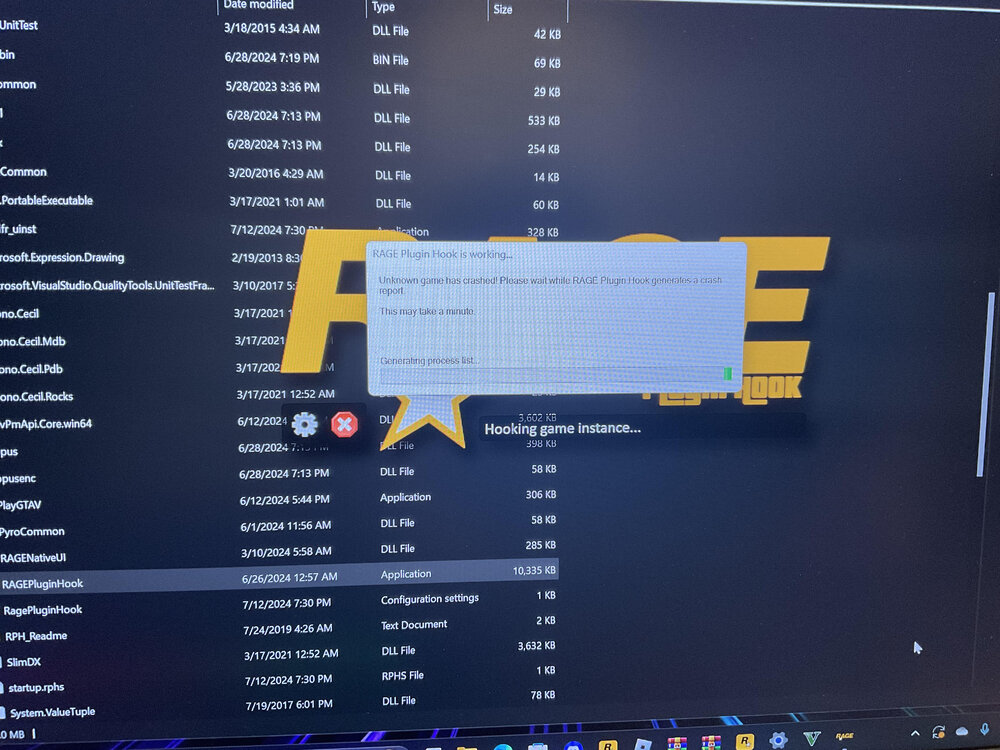
hello, i am expriencing issue where it says Unkown game has crashed, then rageplugin hook says could not hook game process
-
here is image btw
-
hello so basically my lspdfr or gta v just crashes and it says "Unkown game has crashed please wait for rage plugin hook to generate crash report" and also i dont know how to add images or nothin like that so yeah


